

Struggling as a fresh civil engineering graduate in Delhi NCR, Uttar Pradesh, or Rajasthan? You ace your theory exams, but job interviews and small tenders demand AutoCAD drawings, BOQ estimation, and structural analysis – skills you barely touched in college. Don’t worry, bhai – in 2026, mastering beginner-friendly software is your ticket to landing junior engineer roles, winning contracts, and building confidence. Let’s get you started with the top 10 easy tools that take days, not months, to learn.
Why Beginners in Civil Engineering Must Learn Software in 2026?
In India’s booming construction market (think Gati Shakti projects, metro expansions in UP and Bihar), manual sketching and Excel scribbles won’t cut it. Here’s why software is non-negotiable:
- Better job opportunities: 80% of civil jobs in Delhi NCR and MP require AutoCAD or Revit proficiency – freshers with software skills earn 20-30% more.
- Faster BOQ & estimation: Automate quantity takeoff to bid on tenders 5x quicker, beating competitors.
- Accurate drawings: Avoid costly errors in 2D/3D models, saving small contractors lakhs.
- Competitive edge: Tools like ETABS impress clients for structural checks; project management software handles timelines like a pro.
Top 10 Civil Engineering Software for Beginners in India 2026
Ranked by ease of learning – start with these for drawing, estimation, BOQ, and analysis. Each includes why it’s beginner-friendly, learning curve, key uses, costs, and a quick tip.
AutoCAD
-
- Why for beginners: Intuitive interface like drawing on paper, but digital.
- Learning curve: 20-40 hours (2-5 days).
- Key uses: 2D drafting for plans, elevations, sections.
- Cost: Free student version; Pro ₹1.5-2L/year.
- Tip: Practice layers first – watch YouTube’s “AutoCAD for Civil Engineers Hindi” (10-min videos).
SketchUp
-
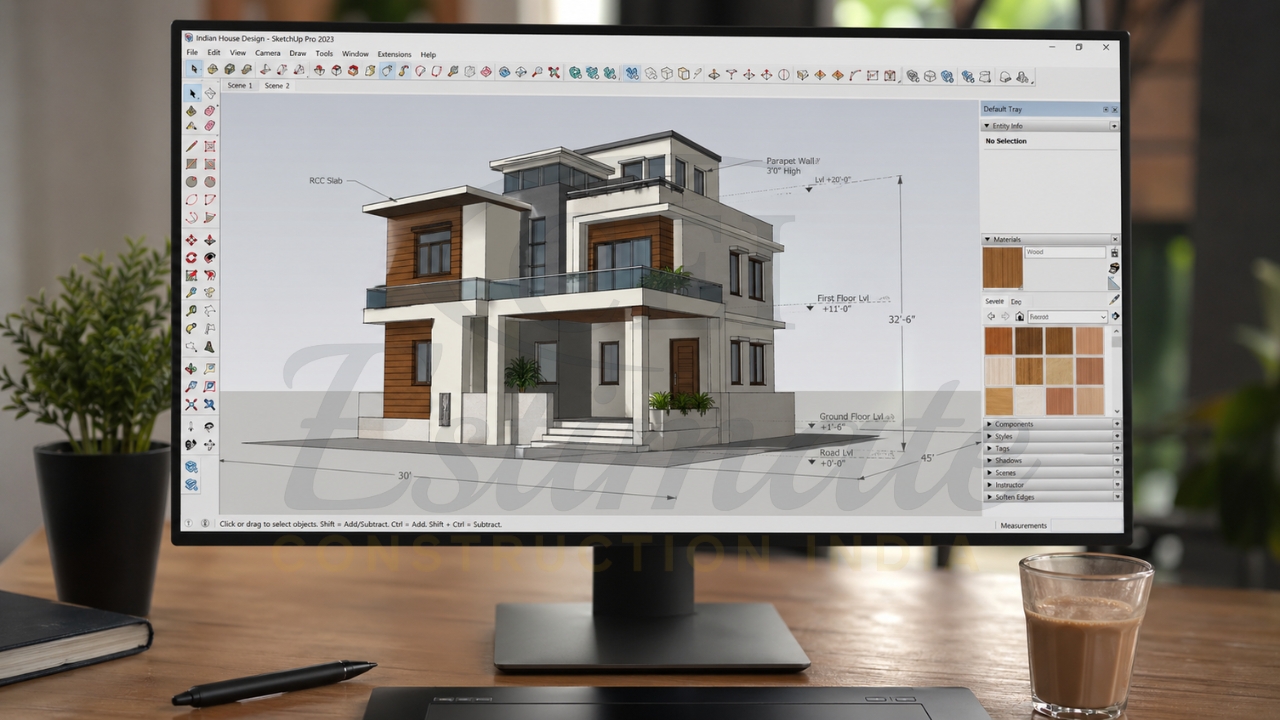
- Why for beginners: Drag-and-drop 3D modeling, no complex commands.
- Learning curve: 10-20 hours (1-3 days).
- Key uses: Quick 3D building models, site visualizations.
- Cost: Free web version; Pro ₹25,000/year.
- Tip: Use free 3D Warehouse models to build your first house in 30 mins.
Revit
-
- Why for beginners: BIM basics with visual guides; student edition is full-featured.
- Learning curve: 40-60 hours (1 week).
- Key uses: 3D BIM models, quantity extraction, clash detection.
- Cost: Free student; Pro ₹2-3L/year.
- Tip: Start with walls/floors tutorial – Autodesk’s free Hindi playlist on YouTube.
ETABS / STAAD.Pro
-
- Why for beginners: Template-based analysis; ETABS easier for frames.
- Learning curve: 30-50 hours (4-7 days).
- Key uses: Structural analysis for beams, slabs, RCC frames.
- Cost: Free trial/student; Pro ₹50K-1L perpetual.
- Tip: Model a simple beam first – free Udemy Hindi course (under ₹500).
BuildNext / Odoo Construction
-
- Why for beginners: Visual drag-drop for plans and estimates.
- Learning curve: 15-25 hours (2-4 days).
- Key uses: Project management, BOQ generation, vendor tracking.
- Cost: Free basic; Pro ₹5K-20K/year.
- Tip: Import AutoCAD plan and auto-generate BOQ in 10 mins.
Tally Prime + Construction Add-ons
-
- Why for beginners: Familiar accounting with civil templates.
- Learning curve: 10-20 hours (1-3 days).
- Key uses: BOQ costing, material billing, cash flow.
- Cost: ₹18K one-time + add-ons ₹5K.
- Tip: Use pre-built construction ledger – Tally’s official YouTube tutorials.
Excel + Advanced Templates
-
- Why for beginners: You already know basics; templates automate.
- Learning curve: 5-15 hours (1-2 days).
- Key uses: Quantity takeoff, costing, bar-bending schedules.
- Cost: Free (MS Office student).
- Tip: Download free BOQ templates from Civil Engineering Portal – customize formulas.
Bluebeam Revu
-
- Why for beginners: PDF tools like highlighting on steroids.
- Learning curve: 5-10 hours (1 day).
- Key uses: PDF markup, digital takeoff, tender reviews.
- Cost: Free trial; ₹20K/year.
- Tip: Practice takeoff on sample drawings – quick YouTube demo.
PlanSwift or CostGuru
-
- Why for beginners: Point-and-click estimation.
- Learning curve: 20-30 hours (3-5 days).
- Key uses: Digital quantity takeoff, costing from PDFs.
- Cost: PlanSwift ₹50K; CostGuru ₹10K/year (Indian alternative).
- Tip: Assemble a wall takeoff – free trial + Hindi reviews on YouTube.
Civil 3D
-
- Why for beginners: Corridor modeling with guides for roads.
- Learning curve: 30-50 hours (5-7 days).
- Key uses: Road design, earthwork volumes, infrastructure.
- Cost: Free student; Pro ₹2L/year.
- Tip: Start with alignment tool – Autodesk University free videos.
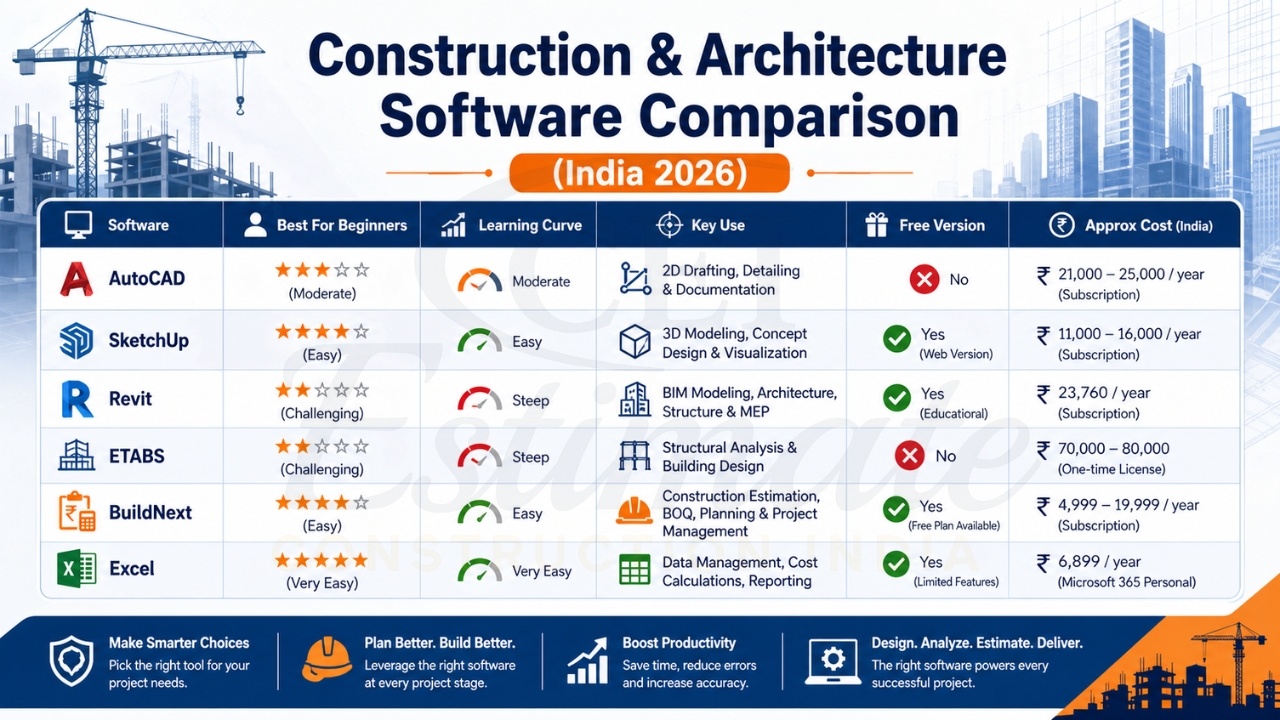
Comparison of Best Beginner-Friendly Civil Engineering Software
| Software | Best For Beginners | Learning Curve | Key Use | Free Version? | Approx Cost (Student/Pro) |
| AutoCAD | 2D Drafting | 20-40 hrs | Plans & Sections | Yes | Free / ₹1.5-2L/yr |
| SketchUp | 3D Modeling | 10-20 hrs | Building Visuals | Yes (web) | Free / ₹25K/yr |
| Revit | BIM Basics | 40-60 hrs | 3D Models & Quantities | Yes | Free / ₹2-3L/yr |
| ETABS | Analysis | 30-50 hrs | RCC Structures | Trial | Trial / ₹50K-1L |
| BuildNext | Estimation | 15-25 hrs | BOQ & Management | Basic | Free / ₹5-20K/yr |
| Excel | Takeoff | 5-15 hrs | Costing Templates | Yes | Free / Free |
Recommended Learning Path for Civil Engineering Students & Freshers
Don’t overwhelm yourself – follow this 4-week path:
- Week 1: AutoCAD – Master 2D basics (free student license).
- Week 2: SketchUp + Revit – Add 3D modeling.
- Week 3: ETABS/Excel – Learn analysis and BOQ.
- Week 4: BuildNext/Tally – Project management and costing.
Practice on real projects like a 2BHK house or road alignment.
Tips to Learn Civil Engineering Software Quickly & Effectively
- Get student licenses: Autodesk Education portal (free 1-year for AutoCAD/Revit/Civil 3D); verify with college ID.
- Free alternatives: FreeCAD (AutoCAD-like), Blender (SketchUp), LibreOffice (Excel).
- YouTube resources: “Civil Engineering Hindi” channels like Civil Guruji, Made Easy (100+ free tutorials).
- Combine with manual skills: Always verify software outputs with hand calculations for accuracy.
- Daily practice: 1 hour/day on sample drawings from CPWD/NHAI sites.
How Construction Estimator India Helps Beginners Master Estimation & Software?
At Construction Estimator India, we specialize in training freshers like you from Agra, Lucknow, Jaipur for real-world jobs and tenders.
Our 4-Step Process:
- Free Consultation: WhatsApp us your resume/project needs.
- Personalized Guidance: Recommend software + free BOQ templates.
- Hands-On Training: 1-on-1 sessions for AutoCAD BOQ, Revit estimation.
- Job-Ready Support: Mock tenders, certification help.
Ready to start? WhatsApp +91 8630676890 now for FREE software guidance, beginner BOQ templates, or full estimation training!
FAQ
- Which software should I learn first as a civil fresher?
AutoCAD – it’s in 90% of job descriptions. - Are there free versions for students in India?
Yes, Autodesk (AutoCAD/Revit), SketchUp Web, Excel. - How long to become job-ready?
4-6 weeks with daily 2-hour practice. - Best for small contractors in UP/Rajasthan?
Excel + BuildNext for quick BOQ/tenders. - YouTube channels for Hindi tutorials?
Civil Guruji, Engineering Academy, Autodesk India. - Cost for full suite?
Start free; pro tools ₹50K-3L total. - Does Revit work for Indian standards?
Yes, with NBC/IS codes templates. - Help for BOQ in tenders?
WhatsApp +91 8630676890 for free templates. - Mobile apps for learning?
AutoCAD Mobile, SketchUp Viewer. - Certification value?
Autodesk Certified User boosts resumes 2x.
In 2026, these tools will make you unstoppable – from campus to site supervisor. Don’t wait for the perfect time; start today!