If you are trying to win government or private tenders in India, learning how to prepare boq for e tender is not optional anymore. A single mistake in format, a missing item, or a wrong calculation can lead to technical rejection before your price is even considered.
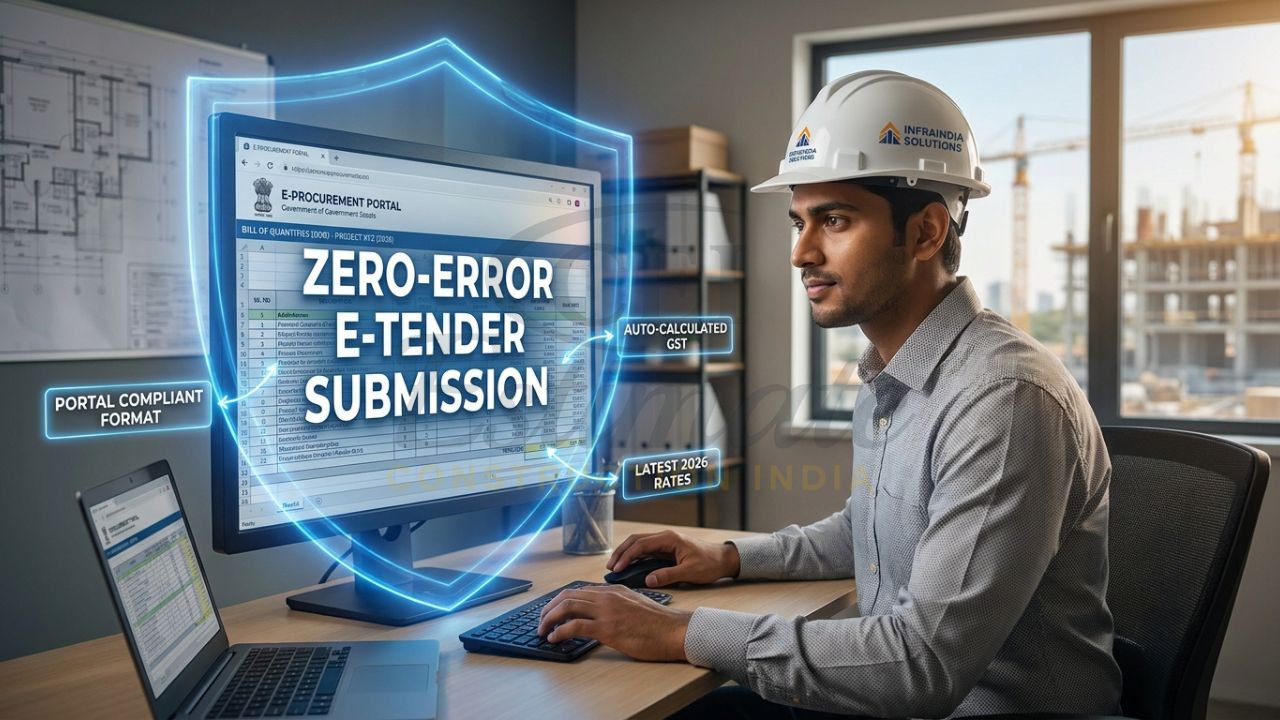
 Start with ₹99 BOQ Template or Unlock Complete BOQ System Today
In 2026, tendering is faster, stricter, and more competitive than ever. Contractors who submit a clean, compliant, and professional BOQ have a much better chance of qualifying and winning. That is why understanding how to prepare boq for e tender correctly is one of the most important skills for civil, electrical, plumbing, and interior contractors.
What is BOQ for E-Tender and Why It Must Follow Specific Standards?
BOQ means Bill of Quantities. In e-tenders, it is the financial and measurement sheet used to quote items, quantities, units, and rates in the exact format required by the department or portal.
Government portals like GeM, CPWD, PWD, and state e-procurement systems are very particular about structure and compliance. The BOQ often has to follow a fixed template, and bidders are usually not allowed to change the layout, delete required rows, or modify protected cells. Many tenders also require the BOQ to match the tender schedule, scope of work, and item descriptions exactly.
When people search for how to prepare boq for e tender, they usually need two things: the technical format and the pricing strategy. A professional BOQ for online tender submission must be accurate, readable, and portal-compliant. In many government systems, even a small mismatch between the uploaded BOQ and the tender document can cause rejection.
Get Complete Construction BOQ Bundle – Only ₹99 (Worth ₹1,499+)
Step-by-Step Guide: How to Prepare BOQ for E-Tender in Excel (Manual Method)
1. Download and study the tender document
The first step in how to prepare boq for e tender is to download the full tender set and read it carefully. Check the BOQ format, scope of work, item list, submission instructions, bid validity, taxes, and any special conditions.
Do not assume that every tender uses the same format. A GeM tender may differ from a PWD CPWD e-tender format or a private contractor’s BOQ sheet. Before filling anything, confirm whether the BOQ is item-rate, percentage-based, lump sum, or form-based.
2. Use the exact BOQ template provided
Most portals provide a locked or predefined sheet. The safest rule in how to prepare boq for e tender is simple: do not alter the structure unless the tender document explicitly allows it.
Usually, you must keep the following columns:
- Item number or serial number.
- Item description.
- Unit.
- Quantity.
- Rate.
- Amount.
Some formats may also include tax fields, code references, HSN/SAC, or bidder remarks. Keep the sheet clean and consistent.
Build Professional BOQs Faster with Complete System – Only ₹99
3. Create your BOQ columns properly in Excel
If you are making BOQ for e-tender in Excel, use a clear structure. Your sheet should normally include:
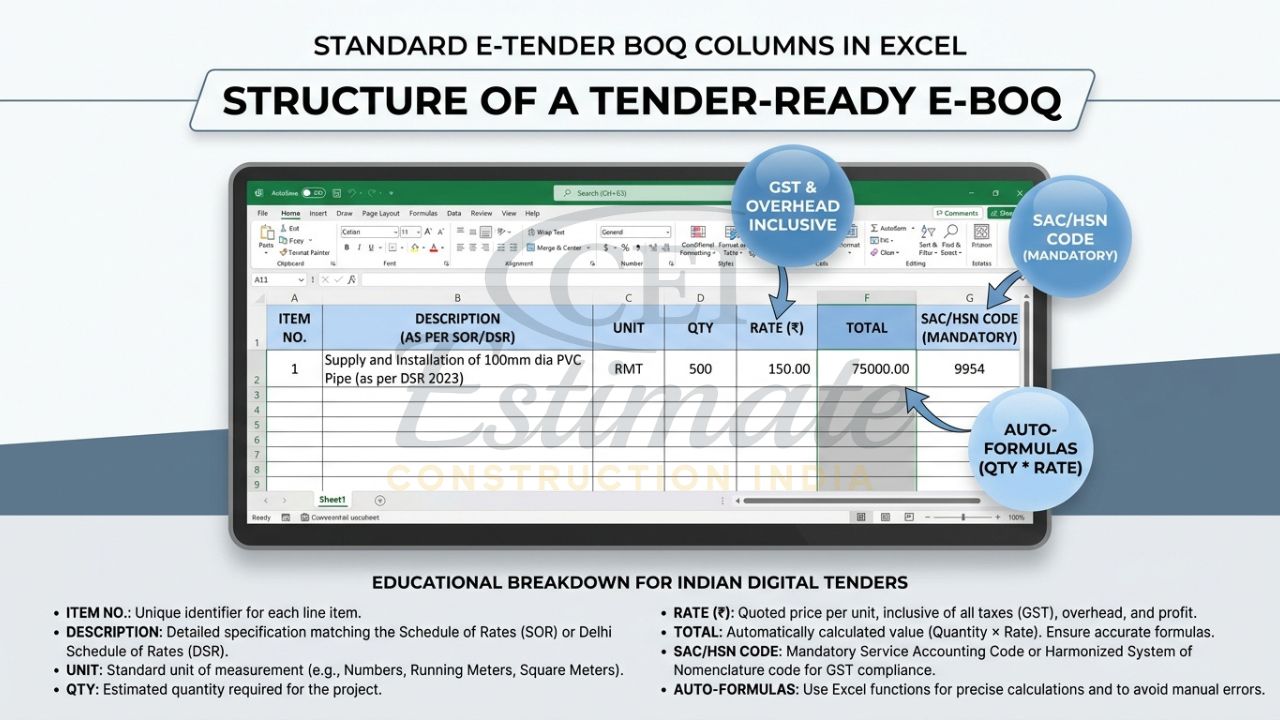
- Item Description.
- Unit.
- Quantity.
- Rate.
- Amount.
For better control, add optional columns like:
One Template or Full BOQ System? Upgrade Today at ₹99
- Specification reference.
- Remarks.
- GST percentage.
- Total with tax.
This is one of the most practical parts of how to make BOQ for e-tender in Excel. A neat Excel sheet reduces confusion, improves speed, and helps with checking.
4. Enter accurate quantities from takeoff
Quantity takeoff is the backbone of BOQ preparation. Measure each item carefully from drawings, scope notes, site condition, or estimate sheets. Wrong quantities mean wrong prices, and wrong prices can make your bid non-competitive or even unworkable.
For civil BOQ, verify excavation, PCC, RCC, shuttering, reinforcement, plaster, flooring, painting, and masonry quantities. For electrical BOQ, check wiring, conduits, switches, lights, DBs, earthing, and accessories. For plumbing BOQ, verify pipes, valves, fittings, sanitary items, and testing. For interiors, include carpentry, partitions, false ceiling, painting, hardware, and finishing items.
5. Apply formula-based calculations
In Excel, the amount should always be auto-calculated using a formula like Quantity × Rate. This is a core principle in how to prepare boq for e tender because manual arithmetic increases the chance of mistakes.
You can also add:
- Subtotal.
- GST.
- Labour or overhead percentage.
- Profit margin.
- Grand total.
If your tender format allows a bid value inclusive of taxes, make sure the final number matches exactly. If taxes must be shown separately, keep them transparent and clearly labeled.
6. Add GST, overhead, and profit correctly
Many bidders lose control of pricing because they ignore indirect costs. A good BOQ must include material cost, labour cost, transport, wastage, site overheads, contractor profit, and GST as applicable.
When following how to prepare boq for e tender, your rate should be realistic, not just low. Underpricing may help you appear competitive, but it can create execution losses later. Always calculate the final rate after considering market prices, lead distance, labour availability, and project duration.
7. Match the tender wording and scope exactly
Never rewrite item descriptions casually. If the BOQ says “Supply and fixing of GI pipe with fittings,” do not shorten it into something vague. Government and private evaluators expect item descriptions to match the scope of work.
This matters a lot in how to prepare boq for e tender because misdescribed items can create disputes after award. The more closely your BOQ matches the tender language, the safer your bid becomes.
Don’t Just Create BOQ—Get Full Estimation System at ₹99
8. Review compliance before upload
Before uploading, double-check:
- All required rows are filled.
- Units are correct.
- Formulas are working.
- No protected cells were accidentally changed.
- Totals match the tender requirement.
- Taxes are shown correctly.
- No blank spaces create confusion.
A final review is one of the most ignored steps in how to prepare boq for e tender. Yet it is also one of the most important. Many technically rejected bids fail because of basic formatting or arithmetic errors.
9. Format the file for portal upload
Some portals ask for Excel only. Others may require conversion or upload in a specific protected file format. Keep the filename simple and professional. Do not add random versions or personal notes in the title unless required.
For a government e-tender BOQ template, always preserve the original structure. If the portal warns against modifying the sheet, do not create a new layout from scratch. Use the official template and fill only permitted fields.
10. Common mistakes to avoid
Avoid these frequent errors:
- Changing the BOQ structure.
- Leaving item numbers blank.
- Using wrong units.
- Making manual calculation mistakes.
- Forgetting GST or overheads.
- Copying item descriptions incorrectly.
- Quoting unrealistic rates.
- Uploading the wrong file version.
If you are serious about how to prepare boq for e tender, these mistakes must be eliminated from your workflow.
Smart & Fast Way: Use Professional Automated BOQ Templates for E-Tender
Manual BOQ preparation works, but it is slow and risky when deadlines are tight. One formula error or one missing line can ruin hours of work. That is why many contractors now use automated, ready-to-fill BOQ templates.
These templates are built to match real tender formats, including PWD CPWD e-tender BOQ format needs, state tender requirements, and GeM-style submissions. They save time because calculations happen automatically, and they reduce mistakes because the format is already structured.
If you want a faster answer to how to prepare boq for e tender, the smart method is to use a professional template instead of building everything from zero.
Start Small or Go Pro – Full BOQ Estimation System at ₹99
Use Templates for Your Projects
The best part is that you do not need to redesign the BOQ every time. Open the template, enter your project details, fill quantities and rates, and the sheet is ready for submission.
That means:
- No format confusion.
- No unnecessary rework.
- No manual total calculation.
- No guesswork in structure.
This is why contractors looking for a professional BOQ for online tender submission prefer template-based workflows. It is the simplest way to move from raw estimate to polished tender BOQ in minutes.
Best Professional BOQ Templates & Bundles for E-Tenders
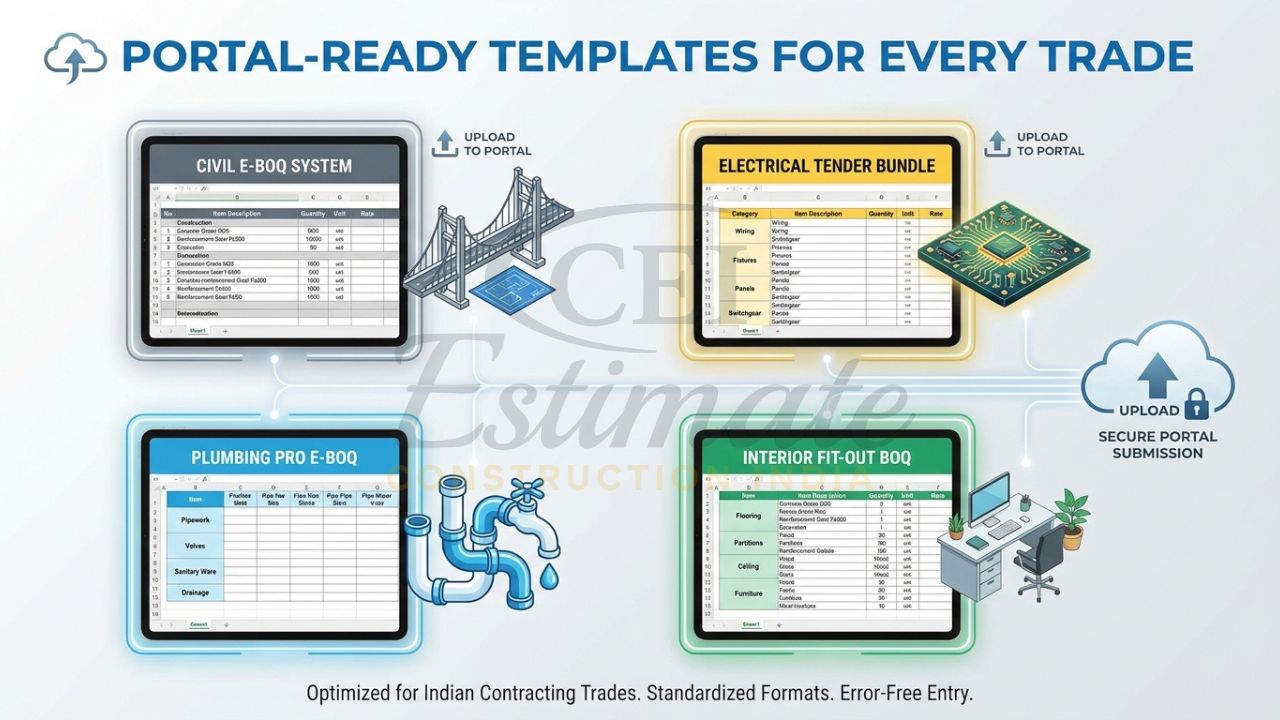
| Template / Bundle | Price | Best For | What It Includes |
| Professional Construction / Civil BOQ Template | ₹99 | Civil contractors, builders, site teams | Tender-ready civil BOQ, auto-calculating structure, GST-compliant format, Excel and Google Sheets compatible |
| Electrical Estimation System Bundle | ₹199 | Electrical contractors, sub-contractors | Premium electrical BOQ, estimation system, auto-calculations, tender-ready layout |
| Plumbing Pro Template Bundle | ₹149 | Plumbing contractors, MEP teams | Plumbing BOQ, bid proposal format, tender-ready pricing structure |
| Interior Works BOQ Templates | ₹149 | Interior contractors, fit-out teams | Interior BOQ templates for partitions, finishes, carpentry, and related works |
These bundles are ideal if you want a reliable e-tender BOQ format India contractors can use repeatedly. They are especially helpful for teams handling multiple bids in different sectors.
Pro Tips to Prepare Winning BOQ for E-Tender
To improve your chances, focus on accuracy first and pricing second. A winning BOQ should be technically clean, commercially realistic, and easy to review.
Use these practical tips:
- Verify all measurements from drawings and site conditions.
- Keep rates competitive but profitable.
- Mention exclusions clearly where allowed.
- Add payment terms and bid validity if the format permits.
- Maintain uniform formatting across rows.
- Use realistic wastage and overhead assumptions.
- Review each item against the tender schedule.
- Keep backup calculations in a separate sheet.
These steps make how to prepare boq for e tender much easier and much safer in real bidding situations.
Special Limited-Time Pricing & Instant Download
Right now, the pricing is highly affordable for contractors who want fast tender readiness:
- Get Complete Construction BOQ Bundle – Only ₹99 (Worth ₹1,499+)
- Don’t Just Estimate—Get Full Electrical Estimation System for ₹199
- Start with Single Template or Get Full Plumbing Estimation Bundle at ₹149
- Start with Basic BOQ or Unlock Full Interior Estimation System at ₹99
Each template is tender-ready, auto-calculating, GST compliant, and compatible with Excel and Google Sheets. You get instant download and lifetime access, which makes this a very practical option for anyone repeatedly searching how to prepare boq for e tender and needing a working solution today.
Expert Help for Your Tender BOQ
If you want our expert team to prepare a professional BOQ for your e-tender, contact Construction Estimator India today:
Email: info@constructionestimatorindia.com
Phone / WhatsApp: 8630676890
FAQ
- What is BOQ in e-tender?
BOQ is the Bill of Quantities used to quote item-wise rates, quantities, and amounts in a tender submission.
- How to prepare BOQ for e tender in Excel?
Create a structured sheet with item description, unit, quantity, rate, and amount, then apply formulas and match the tender template exactly.
- Can I use my own BOQ format?
Only if the tender allows it. Many government portals require the original downloaded template without changes.
- What is the difference between GeM BOQ and PWD BOQ?
GeM BOQ follows portal-specific submission rules, while PWD BOQ often uses department-specific item schedules and protected formats.
- Why do bids get rejected due to BOQ?
Common reasons include wrong format, missing fields, manual errors, modified templates, and non-compliance with the tender schedule.
- Is GST included in BOQ?
It depends on the tender. Some BOQs require GST separately, while others ask for inclusive pricing.
- What is the safest way to make BOQ for e-tender?
The safest way is to use the exact tender template or a professional auto-calculating BOQ sheet.
- Are ready-made BOQ templates suitable for government tenders?
Yes, if they match the required format and are filled according to tender conditions.
- How do I make BOQ faster for multiple projects?
Use reusable templates so you only change quantities, rates, and project details.
- Which contractors benefit most from BOQ templates?
Civil, electrical, plumbing, interior, and MEP contractors benefit the most because they handle repeated tender submissions.