
Hey, contractor—imagine submitting a tender only to have it rejected because your bill of quantities format in Excel had sloppy formatting or a sneaky calculation error. Or worse, losing client trust when your quotation doesn’t add up during negotiations. In 2026, with India’s construction boom in full swing—from metro projects in Delhi to high-rises in Mumbai—these mistakes aren’t just embarrassing; they’re costing you lakhs in lost bids.
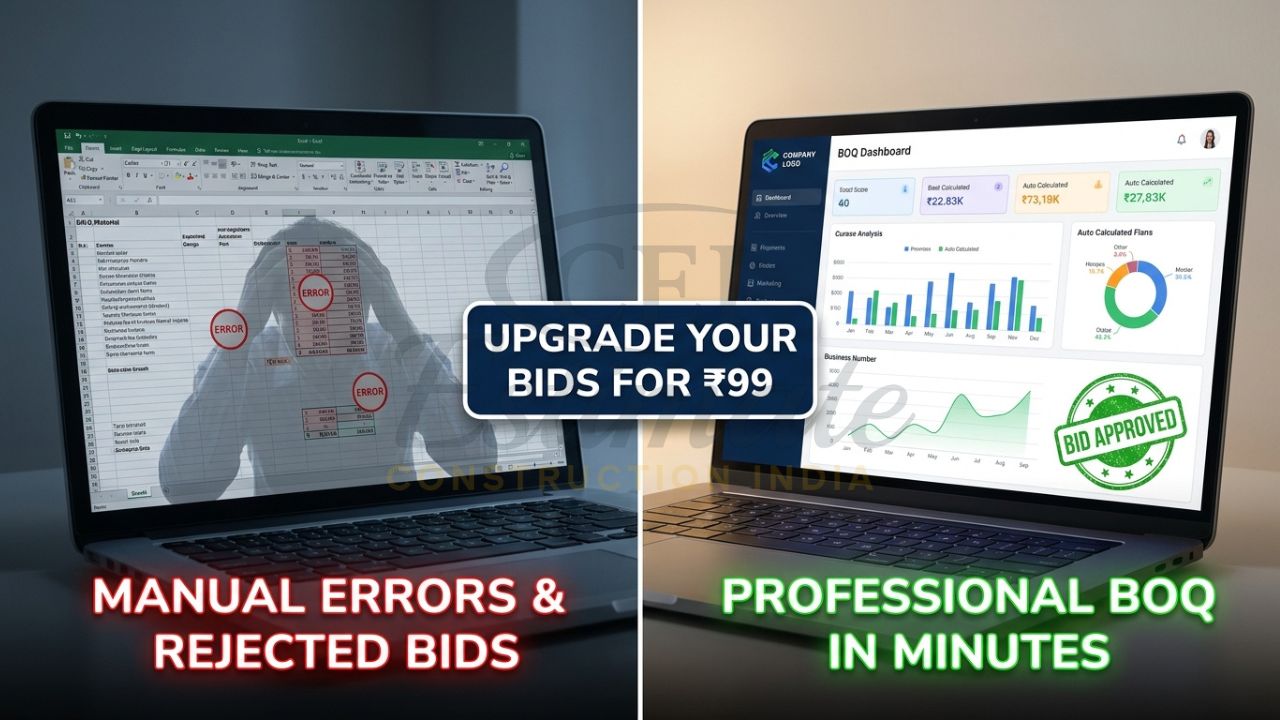
👉One Template or Full BOQ System? Upgrade Today at ₹99
A clean, professional bill of quantities format in Excel changes everything. It ensures accuracy, impresses clients, and helps you win more projects. Whether you’re a sub-contractor, site engineer, or builder, this guide teaches you how to create a bill of quantities format in Excel manually and the smart automated way. Plus, discover Construction Estimator India’s ready-made professional BOQ templates starting at just ₹99—instant download, tender-ready, and GST-compliant.
What is Bill of Quantities (BOQ) and Why Do You Need a Professional Format in Excel?
A Bill of Quantities (BOQ) is your project’s detailed cost breakdown. It lists every item—like concrete, bricks, wiring, or plumbing fittings—with quantities, units, rates, and totals. In India, BOQs are mandatory for government tenders (think CPWD or state PWDs), private projects, and client quotations under standards like IS 1200.
Why Excel? It’s free, flexible, and universal—every contractor from Kerala to Kolkata uses it. But a generic spreadsheet won’t cut it. A professional BOQ format in Excel must be structured, automated, and visually sharp to stand out in competitive bids.
Without one:
- Manual errors lead to 10-20% cost overruns.
- Unprofessional layouts scream “amateur” to clients.
- No auto-GST or profit margins means rework during audits.
In 2026, with digital tenders via platforms like eProcure, a pro bill of quantities format in Excel is your edge. It saves time, boosts accuracy, and positions you as reliable—key for repeat business in plumbing, electrical, interiors, or civil works.
Step-by-Step Guide: How to Create Bill of Quantities Format in Excel (Manual Method)
Creating a bill of quantities format in Excel from scratch is doable for small projects, but it’s time-intensive. Follow these 10 steps for a tender-ready BOQ. We’ll use a sample 2BHK interior fit-out project.
👉Build Professional BOQs Faster with Complete System – Only ₹99
Step 1: Set Up Your Workbook
Open Excel (or Google Sheets). Create a new file named “ProjectName_BOQ.xlsx”. Add sheets: “BOQ Main”, “Summary”, “Rates”.
Step 2: Design Core Columns
In “BOQ Main”, set these headers in Row 1 (A1 to G1):
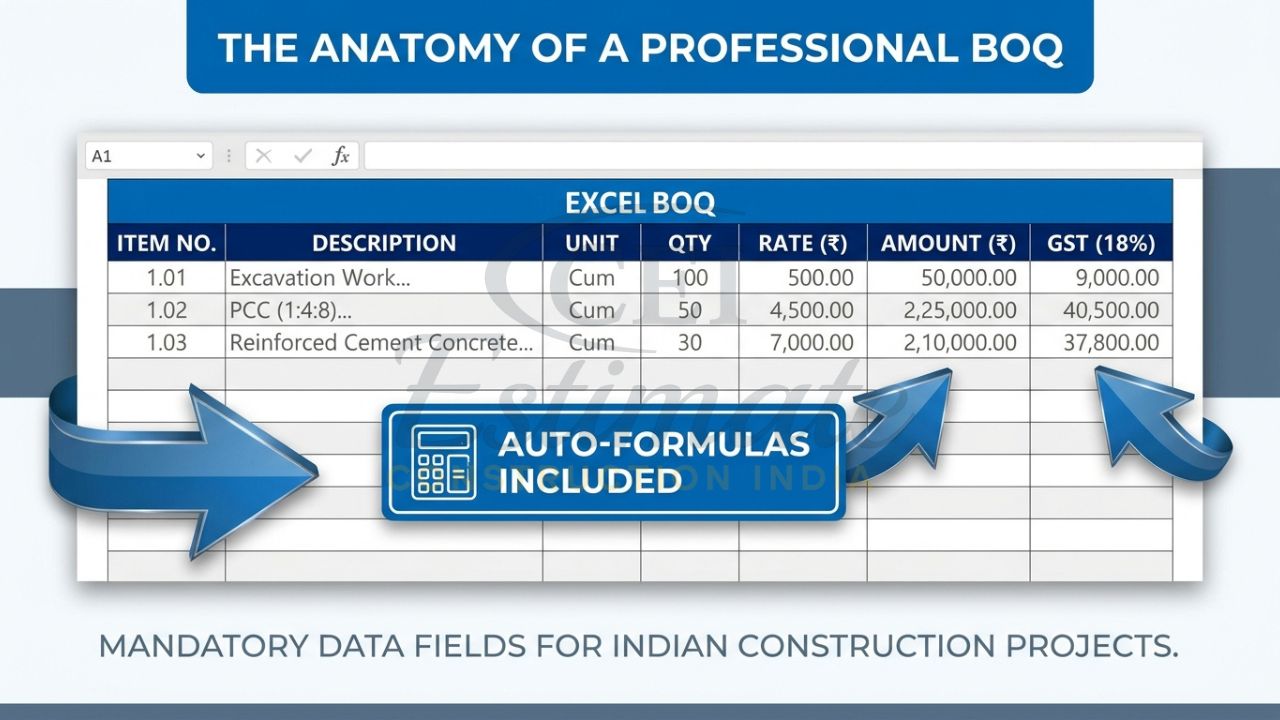
- A: Item No.
- B: Description (e.g., “Cement – OPC 43 Grade”)
- C: Unit (m², kg, nos.)
- D: Quantity
- E: Rate (₹/unit)
- F: Amount (=D*E)
- G: Remarks
Pro tip: Freeze panes (View > Freeze Panes) for easy scrolling.
👉Get Complete Construction BOQ Bundle – Only ₹99 (Worth ₹1,499+)
Step 3: Enter Sample Data
Fill rows 2-10:
| Item No. | Description | Unit | Quantity | Rate | Amount | Remarks |
| 1.1 | Brickwork in cement mortar | m³ | 50 | 4500 | =D3E3 | Foundation walls |
Step 4: Add Formulas for Amounts
In F3: =D3*E3. Drag down to auto-fill. Format as currency: Right-click > Format Cells > Currency (₹).
Step 5: Subtotal Sections
Group items (e.g., Civil, Electrical). In F20 (civil subtotal): =SUM(F3:F19). Bold and border it.
Step 6: Include Overhead, Profit, and GST
- Row 22: Overhead (5%): =F20*0.05
- Row 23: Profit (10%): =(F20+F22)*0.10
- Row 24: Subtotal: =SUM(F20:F23)
- Row 25: GST (18%): =F24*0.18
- Row 26: Grand Total: =F24+F25
Step 7: Professional Formatting Tips
- Use Arial 11pt, bold headers.
- Add borders, alternate row shading (Home > Format as Table).
- Insert company logo (Insert > Pictures) and project details in header.
- Protect sheet: Review > Protect Sheet (allow editing quantities only).
👉Start with ₹99 BOQ Template or Unlock Complete BOQ System Today
Step 8: Add Summary Sheet
Link totals: In Summary A1: “Grand Total”, B1: =BOQ Main!F26.
Step 9: Validate and Error-Check
Use Data Validation (Data > Data Validation) for units. Conditional formatting: Highlight if Quantity=0 (red).
Step 10: Save and Export
Save as .xlsx. For tenders, PDF it (File > Export > PDF).
Common Mistakes to Avoid:
- Forgetting to lock formulas—leads to accidental overwrites.
- Ignoring Indian standards (e.g., no DSR rates reference).
- Poor mobile view—test on phone for site engineers.
This manual bill of quantities format in Excel works for one-offs but takes 4-6 hours per project. For speed, go automated.
Smart & Fast Way: Use Ready Professional BOQ Format Templates in Excel
Manual methods? They’re error-prone and slow—perfect for rejected tenders. Enter professional BOQ format templates: pre-built, fully automatic Excel files with built-in formulas, GST auto-calc, and tender-compliant layouts.
Why switch?
- Zero setup: Download, fill data, done.
- Automation: Quantity × Rate = Amount happens instantly; totals update live.
- Tender-ready: Matches CPWD/DSR formats, with sections for civil, electrical, plumbing.
No more formula fiddling or formatting headaches. Construction Estimator India’s BOQ Excel templates are India-specific, GST-compliant (2026 rates), and work in Excel/Google Sheets—ideal for your tenders or quotations.
You Can Also Use These Templates for Your Own Projects – Just Fill Your Project Details
Picture this: You download the professional bill of quantities template Excel, open it, and boom—everything’s set. Enter your project details like items from your site survey, quantities from measurements, and rates from suppliers. Watch auto-calculations magic: amounts, subtotals, overhead (5-10%), profit margins, 18% GST, and grand total appear instantly.
👉Start Small or Go Pro – Full BOQ Estimation System at ₹99
For a Leander plumbing job? Input pipes, fittings, labor—get a polished BOQ in minutes. Sub-contractors love it for quick client quotes. Builders use it for multi-storey estimates. It’s that simple: Open → Fill → Win bids. Ditch manual drudgery; claim your edge today.
Best Professional Bill of Quantities Format Templates Available
Construction Estimator India offers battle-tested BOQ Excel templates at unbeatable prices—crafted for Indian contractors in 2026. All are instant downloads, lifetime access, Excel/Google Sheets compatible, with pro formatting, auto-formulas, and sections for every trade.
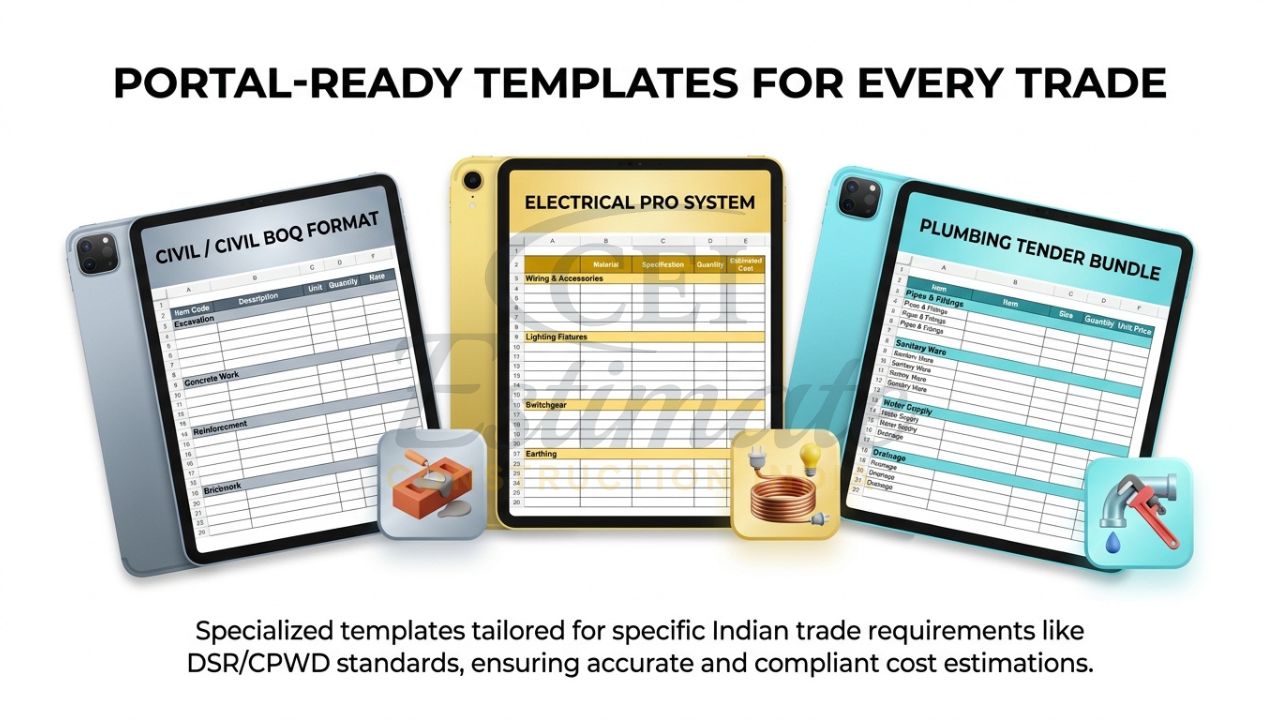
- Construction / Civil BOQ Format Template → Only ₹99
Perfect for builders and site engineers. Includes 100+ DSR items (excavation, concrete, masonry, finishes). Auto-subtotals, GST, profit calculator. Ideal for tenders, roads, or buildings. (Tender BOQ format in Excel ready.) - Electrical Estimation System Bundle (includes Premium Electrical BOQ) → Only ₹199
For electrical contractors: Wiring, panels, DBs, lighting, LT/HT items. 200+ pre-loaded items, cable calculations, load summaries. Bundle adds estimation sheets—saves 30 hours on metro or residential projects. - Plumbing Pro Template Bundle (includes Plumbing BOQ) → Only ₹149
Tailored for plumbing pros: Pipes, fixtures, tanks, sewage. Auto-flow rates, material takeoffs, CPVC/PVC calculators. Bundle includes proforma invoices—win interior or commercial plumbing bids fast.
These beat free “construction BOQ format Excel download” junk—professional, customizable, and compliant.
Major Benefits of Using a Professional Bill of Quantities Format in Excel
Switch to a pro bill of quantities format in Excel and transform your workflow:
- Error-Free Calculations: Auto-formulas eliminate 99% of math mistakes—no more tender disqualifications.
- Professional Presentation: Wins 25% more projects with clean tables, logos, and pie charts.
- Better Profit Control: Built-in margins (overhead 5-15%, profit 10-20%) ensure healthy bids.
- Saves 20–30 Hours Per Project: From days of manual work to minutes.
- Versatile: Handles tenders, interiors, plumbing, electrical, civil—GST-ready for audits.
Site engineers in Delhi rave: “Closed a ₹50L interior deal thanks to the crisp BOQ!”
Special Limited-Time Pricing & Instant Download
Act now—these prices won’t last! Grab your bill of quantities format in Excel before they jump:
- Construction BOQ Template: Only ₹99 (reg. ₹499)
- Electrical Bundle: Only ₹199 (reg. ₹999)
- Plumbing Bundle: Only ₹149 (reg. ₹699)
Limited-time offer ends soon—prices rise 50% next week. Instant download via secure link. Lifetime access, free updates for 2026 GST changes. Buy now, bid confidently!
Buy Construction BOQ ₹99 | Electrical Bundle ₹199 | Plumbing Bundle ₹149
Need a Professional BOQ Prepared for Your Project?
If you prefer our expert team to prepare a professional bill of quantities format for your project, contact Construction Estimator India today:
Email: info@constructionestimatorindia.com
Phone / WhatsApp: 8630676890
FAQ
- What is a bill of quantities format in Excel?
A structured Excel sheet listing project items, quantities, rates, and totals with auto-formulas for tenders and quotes. - How do I create BOQ format in Excel for free?
Follow our manual guide above, but for pro results, get our ₹99 template—instant and error-free. - Where can I download construction BOQ format Excel?
Construction Estimator India’s templates: ₹99 for civil, instant download, fully automatic. - Is the professional bill of quantities template Excel GST compliant?
Yes, auto-calculates 18% GST, overhead, and profit—2026 India standards. - Can I use BOQ Excel template India for tenders?
Absolutely—matches CPWD/DSR formats, used by 1000+ contractors. - How to create bill of quantities in Excel with formulas?
Use =Quantity*Rate for amounts, =SUM() for subtotals, as detailed in Step 3-6. - What’s in the tender BOQ format in Excel bundle?
Pre-loaded items, auto-sheets, summaries—ready for govt/private bids. - Does it work for plumbing/electrical contractors?
Yes—dedicated bundles with trade-specific items and calculators. - Is there a professional bill of quantities template Excel for interiors?
Our civil template covers it; customize easily for designers. - How long until I get the BOQ Excel template after purchase?
Instant—download link emailed in seconds.