In the rapidly digitizing landscape of India 2026, the era of physical tender boxes and hand-delivered envelopes is officially over. Whether you are a civil contractor in Agra, a road developer in Lucknowa, or a budding infrastructure firm in Delhi, your growth now depends on your digital proficiency. Today, government and PSU construction projects mandate 100% online submission through portals like CPPP (eProcure.gov.in), GeM, and state-specific platforms like UP eProcurement.
Learning how to fill tender documents step by step in India is the most valuable skill a modern contractor can possess. The process is no longer just about offering the lowest price; it is about compliance, digital signatures (DSC), technical eligibility, and precise BOQ (Bill of Quantities) filling. A single clerical error or a missed “corrigendum” can lead to immediate disqualification before your price is even looked at. Before you begin, it is essential to understand the broader e-tendering in construction ecosystem and how the digital “Two-Envelope” system ensures transparency. This comprehensive 2026 guide will walk you through the entire lifecycle of a digital bid, ensuring you submit with zero errors and maximum confidence.
What Are Tender Documents in Indian Construction?
Before you start clicking, you must understand the components of the “Tender Pack” you are about to fill. In 2026, most Indian construction tenders follow the Two-Envelope System:
- NIT (Notice Inviting Tender): The advertisement containing the project brief and key dates.
- ITT (Instructions to Tenderers): The “rulebook” on how the bid must be prepared.
- Technical Bid (Envelope 1): Documents proving your company’s experience, turnover, and machinery strength.
- Financial Bid / BOQ (Envelope 2): The price schedule, usually an encrypted Excel file where you enter your rates.
- GCC & SCC: General and Special Conditions of Contract.
- Technical Specifications & Drawings: The engineering details of the work.
For massive infrastructure projects, these documents are often derived from a DPR in construction (Detailed Project Report) prepared by the department.

Prerequisites Before Filling Tender Documents
You cannot fill a tender if your digital “toolkit” isn’t ready. Ensure you have the following in place:
| Item | Requirement in 2026 |
| Class-3 DSC | Mandatory for signing and encrypting bids. Ensure it has both ‘Signing’ and ‘Encryption’ certificates. |
| Portal Registration | Active account on CPPP/eProcure or State Portals (e.g., etender.up.nic.in). |
| GST & PAN | Updated GST returns and PAN linked to the firm. |
| Bank Details | For online EMD (Earnest Money Deposit) and Tender Fee payments. |
| Aadhaar Linkage | Many portals now require Aadhaar-based e-KYC for bidder profile verification. |
Choose Your Construction Services
Connect with verified experts for your project. We provide professional
General Contractors, Sub-contractors, Builders, and Material Suppliers.
Our network also includes specialized 3D Rendering Developers and Interior Experts.
How to Fill Tender Documents Step by Step in India 2026?
Follow these 12 steps to navigate the e-tendering filling process India 2026 successfully.
Step 1: Portal Registration & Bidder Profile Creation
Visit the relevant portal (e.g., eprocure.gov.in). Click on “Online Bidder Enrolment.” Enter your company details, mobile number, and email. You will receive an OTP for verification.
Step 2: Obtain & Map Class-3 DSC
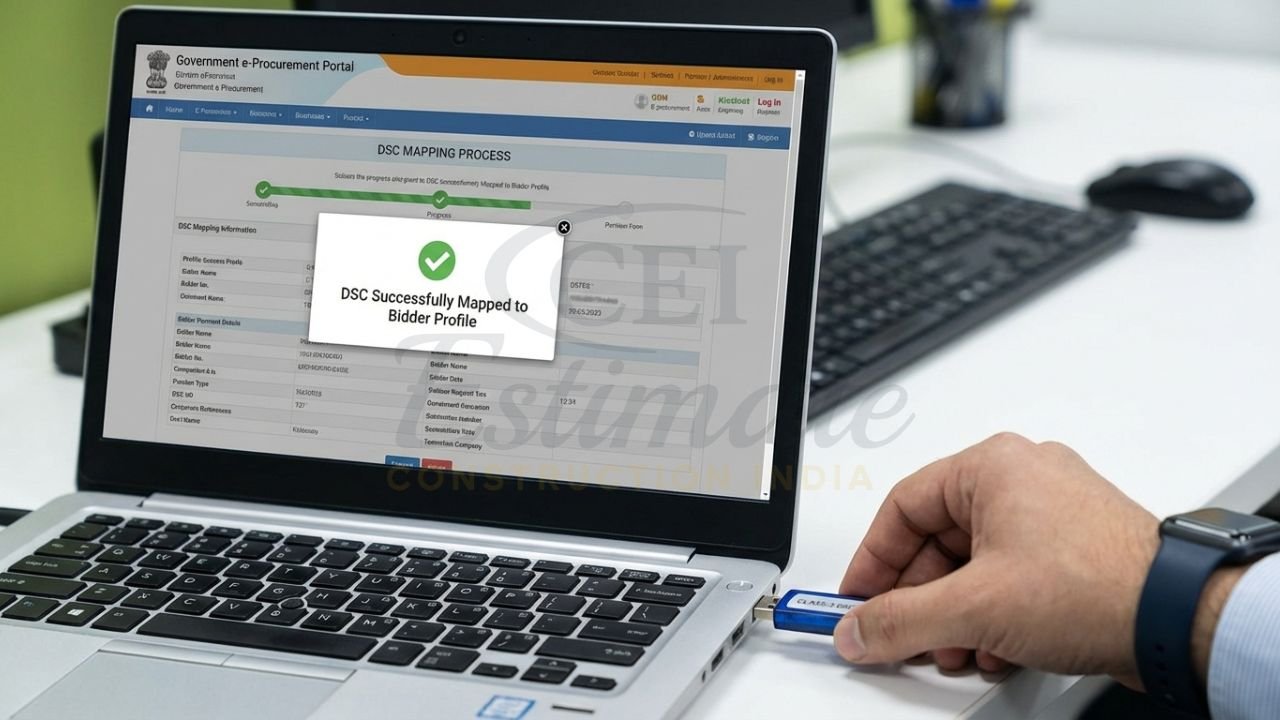
Once registered, log in and go to the “My Certificates” section. Plug in your USB e-token (DSC) and map it to your profile. This allows the system to recognize your digital signature during the step by step tender submission eProcure process.
Step 3: Search & Download Tender Documents
Use the “Search by Organisation” or “Tender by Location” (e.g., search ‘Agra’ for local UP projects) filters. Click on the ‘Tender ID’ and download the full zip file containing the NIT, BOQ, and drawings.
Step 4: Read All Documents & Check Corrigendum
This is where most fail. Check the “Tender History” for any Corrigendum. A corrigendum is an amendment to the original tender (e.g., change in date or quantity). You must use the latest version of the BOQ mentioned in the corrigendum.
Step 5: Prepare the Technical Bid (Envelope 1)
Gather your “Essential Documents”:
- Scanned copies of Work Completion Certificates.
- Audited Balance Sheets for the last 3-5 years.
- PF/ESI registration and GST certificates.
- List of available machinery and technical staff.
- Tip: Create a single PDF for each category to stay within the portal’s file size limits.
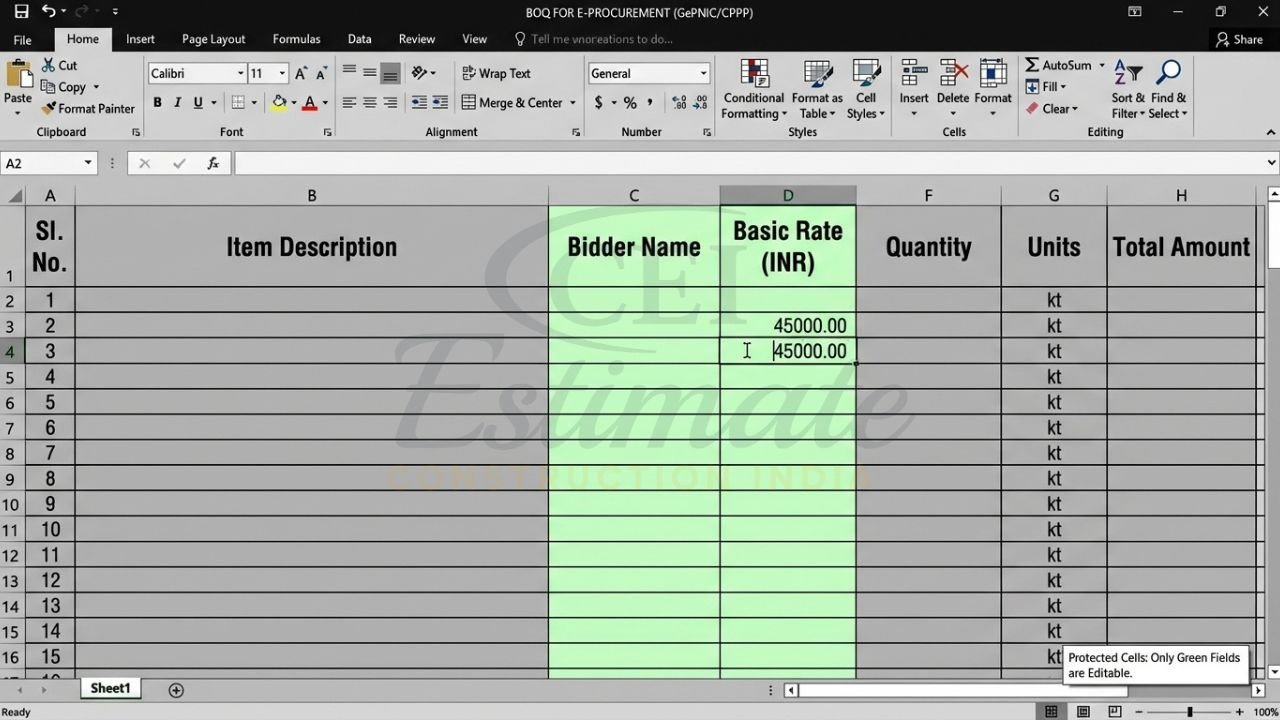
Step 6: How to Fill BOQ in CPPP / eProcure Accurately
Download the BOQ.xls file. Warning: Do not change the file name or modify the “protected” cells.
- Open in Excel.
- Enter the ‘Bidder Name’.
- Fill in the ‘Basic Rate’ in the white/unprotected cells.
- The system will auto-calculate the total amount with GST.
- Save the file. This is your Financial Bid.
Step 7: Scan & Upload Supporting Documents
Log in to the portal and click “My Bids.” Upload the Technical PDF documents into their respective “slots.” Ensure the scan is legible; blurred documents are a top reason for technical rejection in 2026.
Step 8: Pay Tender Fee & EMD Online
Most portals now use integrated payment gateways (SBI MoPS, etc.). Pay the Earnest Money Deposit online. If you are an MSME, upload your Udyam Registration to claim EMD exemption (if allowed in the NIT).
Step 9: Sign & Encrypt Documents
The portal will prompt you to “Sign and Upload.” Your mapped DSC will digitally sign every file. This ensures the document hasn’t been tampered with after you uploaded it.
Step 10: Verify & Freeze Bid
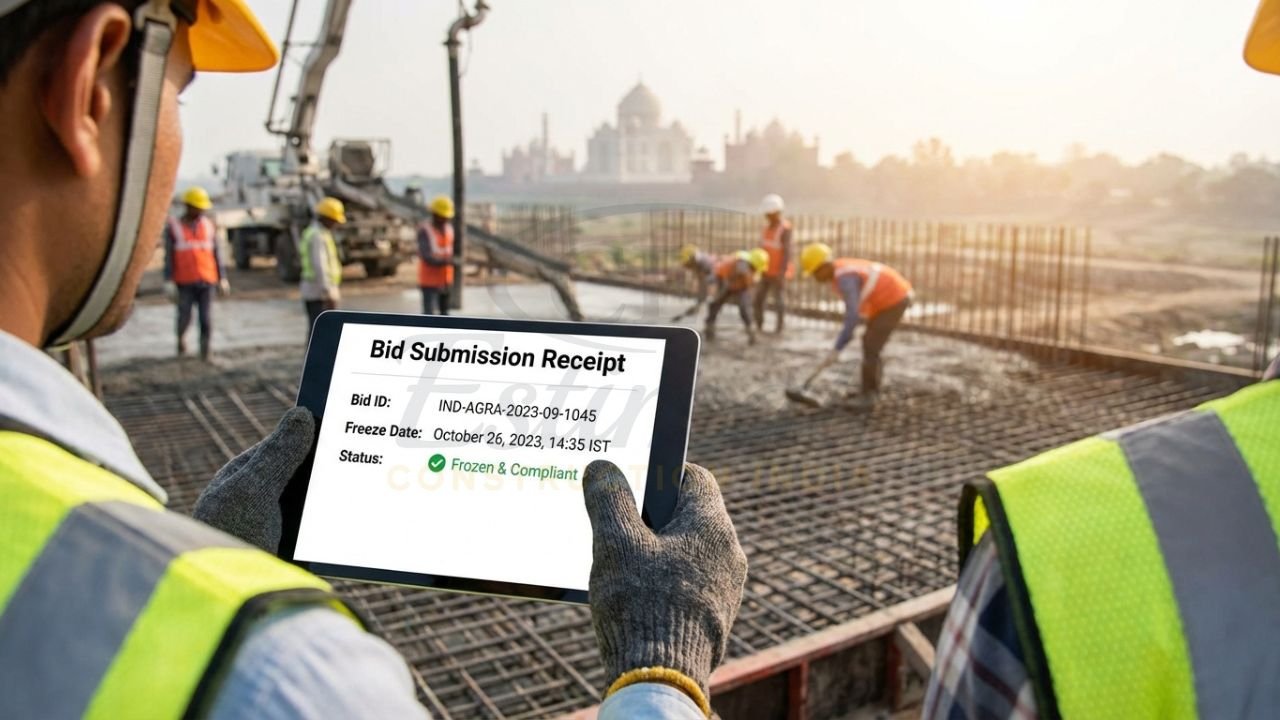
Review the summary of all uploaded files. Once satisfied, click on “Freeze Bid.” You will receive a Bid Submission Confirmation and a unique Bid ID.
Step 11: Submit Before the Deadline
Never wait for the final hour. Server congestion or internet lag in Tier-2 cities like Agra can lead to missed deadlines. Aim to submit 24 hours in advance.
Step 12: Track Status & Attend Online Opening
After the deadline, you can log in to see when the “Technical Opening” happens. If you qualify, you will receive an email notification for the “Financial Opening.”
Precision in Pricing: The Key to Winning
Filling the BOQ is the “moment of truth.” To be competitive, you must know the actual market reality.
- Cost Realities: Check the current construction cost per sq ft in India to ensure your bid isn’t an outlier.
- Manual Verification: Even with software, use manual construction cost estimation to cross-verify your major items like steel and cement.
- Winning Strategy: For advanced tactics on beating the L1 (Lowest Bidder) competition, refer to our guide on how to win more construction bids in India.
Common Mistakes While Filling Tender Documents
| Mistake | Consequence | How to Avoid |
| Using Old BOQ | Automatic rejection by server. | Always check the ‘Corrigendum’ tab before filling. |
| Incorrect DSC | Unable to sign/upload. | Ensure you have a Class-3 DSC with a valid expiry. |
| Missing EMD Receipt | Technical disqualification. | Upload the payment confirmation PDF immediately after paying. |
| Modifying BOQ Structure | File upload error. | Only enter values in the allowed white cells. |
| Blurred Scans | Rejection during evaluation. | Use a high-quality scanner (200 DPI is usually ideal). |
City/Portal-Specific Tips for UP & Agra Contractors 2026
For those using the UP eProcurement tender filling guide (etender.up.nic.in):
- UP Portal App: Use the “GePNIC” mobile app to track your bid status on the go.
- Local Preferences: UP PWD often has specific “local contractor” registration tiers. Ensure your profile reflects your latest grade.
- Internet Stability: In parts of Western UP/Agra, use a stable broadband connection rather than a mobile hotspot for the final “Freeze Bid” step.
How Accurate Estimation Helps You Fill BOQ Correctly?
Filling the BOQ is the “moment of truth.” If you bid too high, you lose the project; if you bid too low, you lose money. This is where a detailed material and labor takeoff becomes essential.
In 2026, successful contractors use professional estimation to:
- Determine the Actual Cost based on current 2026 market rates.
- Analyze “Hidden Items” in the tender specifications that might cost more than expected.
- Fill the BOQ with a competitive yet sustainable margin.
Tips to Win Tenders After Submission
- Competitive Intelligence: Study the “Tender Award” history on the portal to see the L1 rates of previous similar projects in your area.
- Timely Response: If the department asks for “Clarification” (online) after technical opening, respond within the stipulated 24-48 hours.
- Valid Credentials: Keep your DSC and registrations updated; a bid with an expired DSC is technically dead.
Struggling to fill tender documents or prepare accurate BOQ for your next construction bid in 2026? Construction Estimator India provides professional detailed estimates, material takeoffs, labour breakdowns, and complete BOQ preparation starting just at ₹10,000 INR. Our experts help you fill tender documents correctly, submit competitive bids on CPPP, eProcure, or state portals, and increase your win rate—whether you are in Agra, UP or anywhere in India.
Contact us today:
Phone/WhatsApp: +91 86306 76890
Email: info@constructionestimatorindia.com
Get your customized tender document & BOQ support in just 24 hours and bid with confidence!
Frequently Asked Questions (FAQs)
What are the steps to fill tender documents online in India 2026?
The how to fill tender documents step by step in India process involves 12 core stages: 1. Registration on the portal (CPPP/GeM), 2. Mapping a Class-3 DSC, 3. Searching for the tender, 4. Downloading documents, 5. Checking for corrigendum, 6. Preparing the technical bid PDF, 7. Filling the Excel BOQ (Financial Bid), 8. Paying EMD/Tender fee online, 9. Digitally signing all files with DSC, 10. Uploading and “Freezing” the bid, 11. Obtaining the submission receipt, and 12. Tracking the opening online.
How do I fill BOQ in e-tendering on CPPP or eProcure?
To fill BOQ in CPPP, download the official .xls file from the tender portal. Open it in Microsoft Excel. Do not change the file name or try to unprotect the sheet. You only need to fill in the ‘Bidder Name’ and the ‘Basic Rates’ or ‘Percentage’ in the designated white cells. Once filled, save the file and upload it during the “Financial Bid” submission stage. The system will automatically encrypt the file.
What documents are required to fill tender documents in India?
Commonly required construction tender documents 2026 include: PAN Card, GST Registration, Firm Registration, Class-3 DSC, Experience Certificates (Completion Certificates of similar works), Audited Balance Sheets, ITR for the last 3 years, Solvency Certificate from your bank, and a list of key personnel and machinery. Always refer to the “Checklist” provided in the ITT section of the specific tender.
How to register and submit tender on UP eProcurement portal?
Visit etender.up.nic.in. Register as a “New Bidder” using your email and mobile. Link your Class-3 DSC. Search for the tender by organization (e.g., UP PWD). Download the documents and fill the technical and financial bids (BOQ). Pay the EMD/Tender fee through the integrated portal payment gateway and upload the signed documents before the deadline.
Why is professional estimation important when filling tender documents?
Professional estimation ensures that you are not “guessing” when you fill the BOQ. It provides a precise breakdown of material and labor costs based on 2026 market rates. This allows you to submit a bid that is low enough to win (L1) but high enough to maintain a healthy profit, protecting you from the financial ruin of under-bidding.