
In the Indian construction industry, whether you are building a G+1 residential house or a commercial complex, your profitability depends heavily on your paperwork. A minor error in calculating quantities or framing a quotation can lead to severe financial losses.
Understanding the flow of documentation—from the Bill of Quantities (BOQ) to the internal cost estimate, and finally to the client-facing quotation—is a fundamental skill for civil contractors, quantity surveyors, and site engineers. Even in 2026, Microsoft Excel remains the most powerful, flexible, and widely used tool for this process across India.
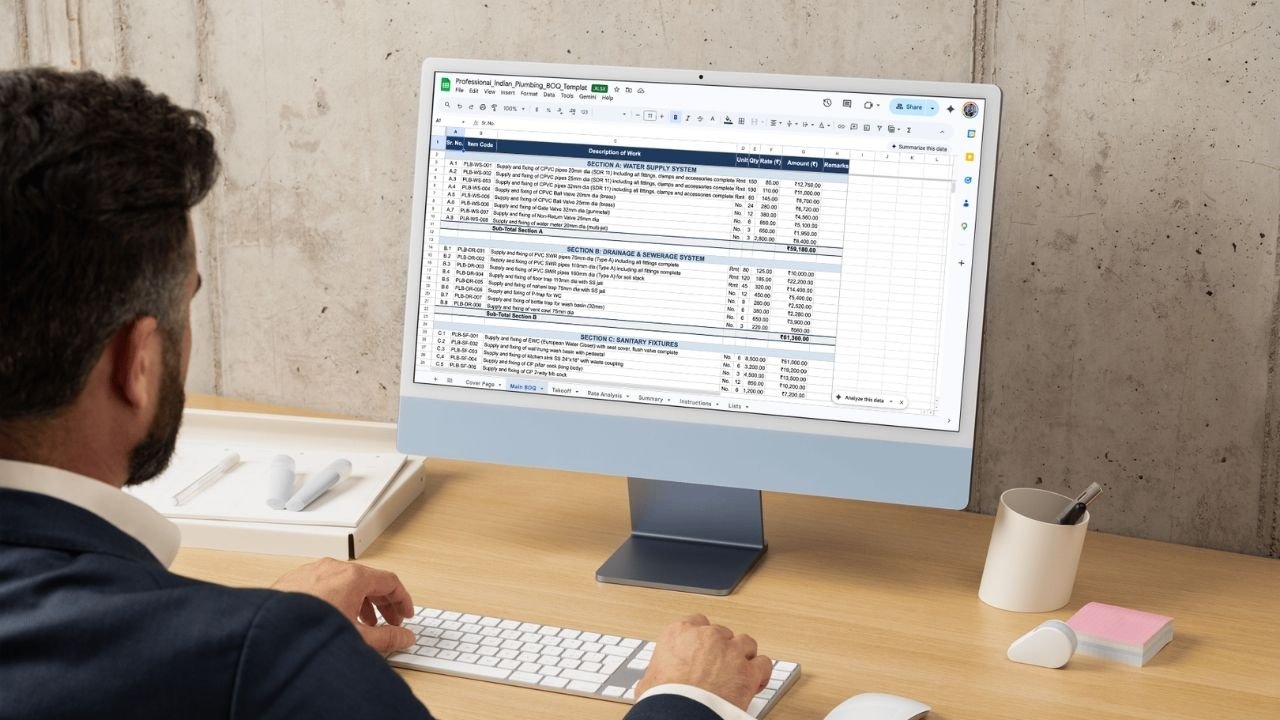
This guide will walk you through the exact step-by-step process of preparing your BOQ, estimating your costs, and drafting winning quotations in Excel.
1. Introduction: Why BOQ, Estimates, and Quotations Matter in Indian Civil Construction
Before a single brick is laid, a construction project exists entirely on paper (or a computer screen). The financial roadmap of any project relies on three distinct but deeply connected documents:
-
BOQ (Bill of Quantities): The master list of all work items and their physical quantities.
-
Estimate: Your internal calculation of what those quantities will actually cost to build (material + labour + machinery + overheads).
-
Quotation: The final, polished document you submit to the client, detailing the price you will charge them to complete the work, alongside your terms and conditions.
Mastering this three-step workflow in Excel allows you to track costs accurately, avoid scope creep, and present a professional image to homeowners and developers alike.
2. What Is a BOQ for Civil Works in India?
A Bill of Quantities (BOQ) is a formatted document that lists every single activity required to complete a construction project. It breaks down a massive project into measurable, actionable items.
In the Indian context, a standard BOQ is heavily influenced by the IS 1200 codes (Method of Measurement of Building and Civil Engineering Works) and often follows the nomenclature used in CPWD or State PWD schedules (like the Delhi Schedule of Rates – DSR).
A typical civil BOQ includes columns for:
-
Item Serial Number
-
Detailed Description of the Item (e.g., “Earthwork in excavation for foundation trenches…”)
-
Unit of Measurement (Cubic Metres, Square Metres, Kilograms, etc.)
-
Total Quantity
-
Rate (Left blank during the initial tendering phase)
-
Total Amount
3. How to Prepare BOQ for Civil Works in India (Process Overview)
Preparing an accurate BOQ requires patience and a good grasp of structural and architectural drawings. Here is the standard step-by-step process:
-
Study the Drawings: Review all architectural plans, structural details, and plumbing/electrical layouts to understand the full scope of the project.
-
List the Work Items: Write down the sequence of construction sequentially. Start from site clearance and earthwork, move up to PCC, RCC footings, columns, plinth beams, brickwork or blockwork, plastering, and finally finishing items like flooring and painting.
-
Perform the Quantity Take-off: Using a standard measurement sheet format in Excel (Length × Width × Depth/Height), calculate the exact quantities for each item.
-
Assign Standard Units: Ensure every item has the correct Indian standard unit. For example, steel reinforcement is measured in Metric Tonnes (MT) or Kilograms (kg), while plastering is measured in Square Metres (Sqm).
-
Compile the Final BOQ: Transfer the total quantities from your measurement sheets into your main BOQ summary sheet.
If you are new to quantity surveying and want a deeper dive into reading drawings and framing item descriptions, learning how to prepare BOQ for civil works in India is the crucial first step to mastering construction documentation.
4. Building a Civil Work Estimate Format in Excel from Your BOQ
Once your BOQ is ready, you have the quantities, but you don’t yet have the cost. This is where the BOQ evolves into an internal Estimate.
An estimate is strictly for your eyes (or your internal team). It involves performing a Rate Analysis for every single item listed in the BOQ. To do this in Excel, you will expand your BOQ sheet to include breakdowns for:
-
Material Costs: Current local market rates for cement, sand, aggregate, steel, etc., including transport and wastage.
-
Labour Costs: Mason, helper, and specialized worker daily wages mapped to their productivity.
-
Machinery & Equipment: Costs for mixers, vibrators, excavators, or scaffolding.
-
Overheads & Profit: Usually calculated as a percentage (e.g., 15% for contractor profit and site overheads).
-
Taxes: Applicable GST depending on the nature of the contract.
By linking your rate analysis sheet to your quantity sheet, you create a dynamic file. To see how these cost heads are professionally organized and automated, exploring a structured civil work estimate format in Excel can save you hours of formatting and calculation errors.
5. Civil Work Quotation Format in Excel (Detailed Format)
An estimate tells you what the project costs; a quotation tells the client what they have to pay. The quotation must be clean, professional, and free of your internal markup calculations.
A standard, detailed civil work quotation includes:
-
Company Header: Your logo, company name, GSTIN, and contact details.
-
Client Details: Name, project site address, and date of submission.
-
Scope of Work Summary: A brief introductory paragraph explaining what the quotation covers.
-
Itemized Pricing Table: The BOQ items with the final, all-inclusive rate applied. Columns should simply show: Item, Unit, Quantity, Rate, Amount.
-
Taxation: A clear subtotal, followed by the applicable GST addition, leading to the Grand Total.
-
Terms & Conditions: Payment schedules, validity of the quotation, water/electricity scope, and specific exclusions.
When dealing with corporate clients, developers, or strict architects, submitting a polished civil work quotation format in Excel ensures transparency, protects your margins, and helps prevent disputes over project scope.
6. Simple Civil Work Quotation Format in Excel (For Small Jobs)
Not every project requires a 10-page detailed BOQ. If a client asks you to build a compound wall, renovate a single bathroom, or patch up some structural plastering, sending a massive document will only confuse them and delay approval.
For these scenarios, you need a streamlined version. A lighter quotation format typically includes:
-
A basic header and date.
-
A consolidated scope (sometimes just grouped into 3 or 4 line items).
-
A single lump-sum total or very basic itemized pricing.
-
Short, simple payment terms (e.g., 50% advance, 50% on completion).
For minor repairs or quick residential tasks, utilizing a simple civil work quotation format in Excel allows you to generate a price offer from your phone or laptop in minutes while still looking entirely professional.
7. Civil Work Construction Quotation Format in Excel (Full Project)
When you are taking on a turnkey project—such as constructing a complete G+1 independent villa—your documentation needs to handle multiple disciplines. You are no longer just quoting for concrete and brickwork; you are quoting for the entire build.
A full construction quotation is comprehensive and usually grouped into distinct “Heads” or “Schedules,” such as:
-
Part A: Civil Shell Work (Excavation to RCC Roof).
-
Part B: Finishing Work (Plastering, Painting, Tiling).
-
Part C: Basic MEP (Plumbing, Electrical conduit laying).
This type of document is effectively a hybrid of a detailed BOQ and a legal contract proposal. It requires rigorous detailing on payment milestones (e.g., 10% on plinth completion, 15% on ground floor slab, etc.). To manage such large-scale proposals without overwhelming the client, a well-structured civil work construction quotation format in Excel is absolutely essential.
8. Practical Tips: Moving from BOQ → Estimate → Quotation
Connecting these three documents flawlessly in Excel requires a few best practices:
-
Lock Your Quantities: Once the BOQ quantities are finalized from the drawings, lock those cells in Excel. Do not alter them during the estimating phase unless there is an official design change.
-
Keep Rate Analysis Separate: Never do your rate analysis (material/labour breakdowns) on the same sheet you intend to print for the client. Keep a “Backend” sheet for estimating and a “Frontend” sheet for the quotation.
-
Use Formula Links: Your final quotation rate cells should pull directly from your estimate sheet using Excel formulas (e.g.,
=Estimate!F25). If material prices spike and you update the estimate, your quotation automatically updates. -
Be Specific in Descriptions: Vague item descriptions are the number one cause of contractor-client disputes in India. Specify the brand of cement, the grade of steel (e.g., Fe550), and the exact thickness of tiles in the quotation.
9. Conclusion: Excel as Your Backbone for Civil Construction
Even with the rise of specialized construction software, Microsoft Excel remains the backbone of the Indian construction industry. Its flexibility allows civil engineers and contractors to adapt to the unique requirements of local markets, fluctuating material rates, and diverse client preferences.
By understanding the distinct roles of these documents—that a BOQ captures the exact physical scope, an Estimate turns that scope into your internal cost, and a Quotation packages that cost into a profitable, client-friendly offer—you take control of your project’s financial health. Standardize your Excel templates once, reuse them across all your projects, and you will save immense amounts of time while projecting unwavering professionalism to your clients.