
If you work in construction, you already know the pain of preparing a BOQ by hand. Manual BOQ preparation takes too much time, creates calculation errors, looks unprofessional, and can cost you a tender or eat into your profit. That is exactly why so many contractors search for how to prepare boq document in excel before bidding or sending quotations.
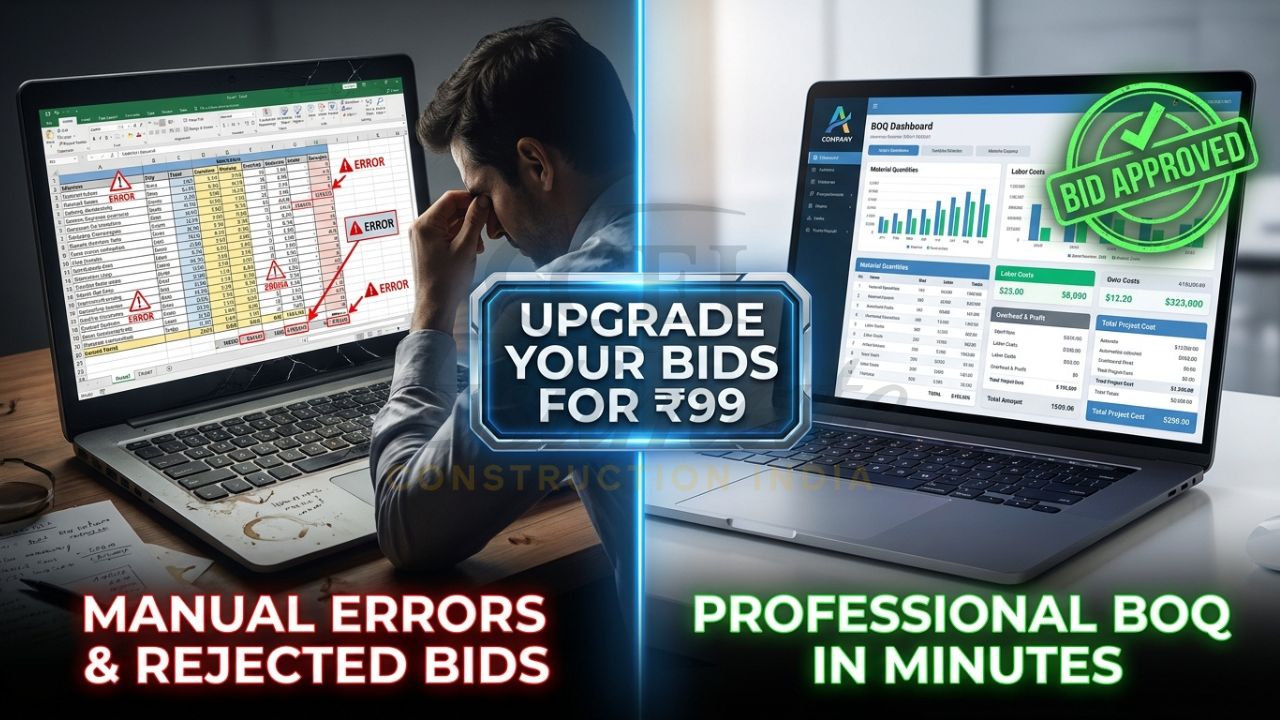
The good news is that you can learn the manual method and also use a smarter automated method. In this article, I’ll show you how to prepare boq document in excel step by step, and then explain why a ready-made professional template is the faster, safer choice for civil, electrical, plumbing, and interior work in India.
👉Build Professional BOQs Faster with Complete System – Only ₹99
What is a BOQ Document and Why a Professional Format in Excel Matters?
A BOQ document, or Bill of Quantities, is a structured list of work items with descriptions, units, quantities, rates, and amounts. In tenders, client quotations, and project execution, it helps you price work clearly and compare costs item by item. A clean professional BOQ format in Excel makes your estimate easier to read, easier to verify, and much more trustworthy.
In Indian construction projects, BOQ formats are widely used in civil, interior, plumbing, and electrical jobs because they support transparent pricing and proper rate analysis. A good construction BOQ document in Excel also helps you track totals, GST, overheads, and profit in one place. That is why contractors who learn how to prepare boq document in excel often improve both speed and presentation.
Step-by-Step Guide: How to Prepare BOQ Document in Excel from Scratch (Manual Method)
If you want to learn how to make BOQ in Excel step by step, start with a blank workbook and keep the structure simple. The goal is to create a sheet that is easy to edit, print, and submit in tenders or quotations.
1. Set up the sheet structure
Open Excel and create a new workbook. Rename the main sheet to something clear like “Civil BOQ”, “Electrical BOQ”, or “Plumbing BOQ”. This makes your file easy to manage when you handle multiple jobs.
Use a clean layout with one row for headers and one row per item. If the project is large, you can also create separate tabs for summary, rate analysis, and item sections. A well-organized file is the foundation of a good tender BOQ format Excel India submission.
2. Create the column headers
A standard BOQ sheet should include these columns:
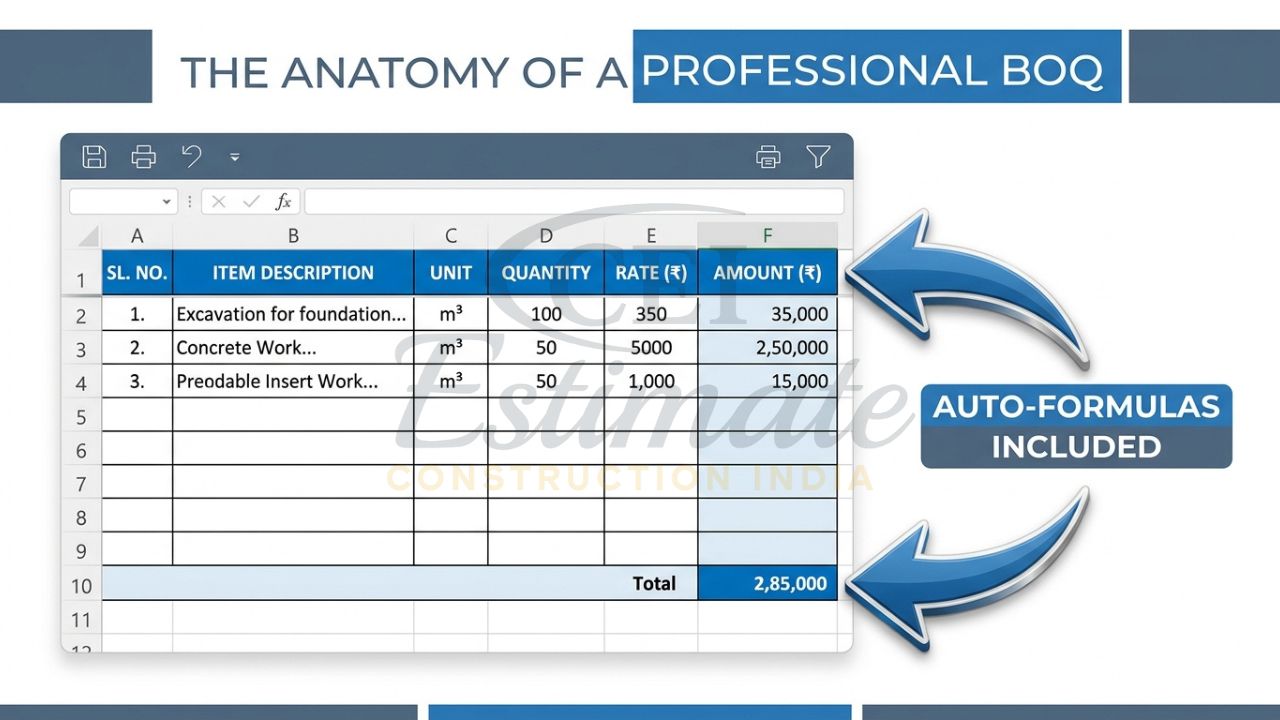
- Sl. No.
- Description of Item
- Unit
- Quantity
- Rate
- Amount
- Remarks
This is the basic structure most contractors use when preparing a bill of quantities Excel template manually. Keep the headings bold, centered, and visible.
👉Get Complete Construction BOQ Bundle – Only ₹99 (Worth ₹1,499+)
3. Format the sheet properly
Freeze the top row so the headings stay visible while you scroll. In Excel, this is usually done using Freeze Panes. Then adjust column widths so item descriptions are readable and the rate and amount columns are neat.
Use borders around all cells, a light fill color for headers, and consistent font sizes. A tidy sheet improves readability and makes your BOQ look more professional to clients, consultants, and tender evaluators.
4. Enter the work items
Now list all project items in sequence. For a civil project, this may include excavation, PCC, RCC, masonry, plaster, flooring, painting, and waterproofing. For electrical work, items may include conduit, wiring, switchboards, lights, earthing, and panel connections. For plumbing, items may include piping, fittings, valves, sanitary fixtures, and testing.
Write each item in a clear and precise way. The description should tell the client exactly what is included, because vague descriptions often cause disputes later. This is one of the most important parts of learning how to prepare boq document in excel correctly.
5. Add quantity and unit
Enter the unit for each item, such as m, m², m³, kg, nos., set, or lot. Then fill the quantity carefully from drawings, site measurements, or takeoff sheets. A wrong quantity can damage your pricing and reduce your profit.
For example:
- Cement plaster: m²
- Excavation: m³
- Cable laying: m
- Wall tiles: m²
- Sanitary fixtures: nos.
This step is simple, but it needs accuracy. A professional construction BOQ document in Excel is only as good as the quantities inside it.
6. Use formulas for amount
In the Amount column, use the formula:
=D2*E2
This means Quantity multiplied by Rate. Copy the formula down for all rows so Excel calculates every item automatically. This is the core benefit of using Excel for BOQ work.
If you know how to prepare boq document in excel properly, you should never calculate amounts manually line by line. One wrong number can spoil the full estimate.
👉Start with ₹99 BOQ Template or Unlock Complete BOQ System Today
7. Add section totals
After each work section, add a subtotal using the SUM formula. For example:
=SUM(F2:F10)
This helps you total civil, electrical, plumbing, and finishing sections separately. Section-wise totals are especially useful in bigger projects and tender submissions.
You can then create a final summary row at the end for the total project cost. This makes your BOQ easy to review and compare.
8. Add GST, overheads, and profit
Once the subtotal is ready, add separate rows for:
- Overheads
- Profit margin
- GST
In Indian projects, this is often required for proper quotation preparation. A practical BOQ should show base cost, mark-up, and tax clearly so the final rate is transparent.
For example:
- Subtotal
- Add overhead @ 5%
- Add profit @ 10%
- Add GST @ 18%
- Grand Total
When you understand how to prepare boq document in excel, you also understand how to control margins before final submission.
9. Use professional formatting
Apply bold fonts for headings, align numbers to the right, and keep currency formatting consistent. Use commas in large numbers and show rupees clearly. If needed, add conditional formatting to highlight unusually high rates.
Also set print area, page orientation, and margins so your BOQ can be printed or converted to PDF without cutting off columns. A proper professional BOQ format in Excel should look clean on both screen and paper.
10. Review for common mistakes
Before sending the file, check the following:
- Wrong formulas.
- Missing units.
- Duplicate line items.
- Incomplete item descriptions.
- Quantity errors.
- Mixed formatting.
- Missing GST or final total.
These mistakes are very common when contractors try to build a tender BOQ format Excel India file quickly. A small error can create confusion, reduce trust, or lower your profit.
Limitations of Manual BOQ Preparation in Excel
Manual BOQ preparation works, but it is slow. If your project has many items, you may spend hours or even days formatting sheets, checking formulas, and fixing calculation issues. That is why many contractors who search how to prepare boq document in excel eventually move to templates.
Manual files also depend heavily on the person entering the data. One wrong formula, one missing row, or one broken link can change the full estimate. A manual bill of quantities Excel template built from scratch also looks less consistent when different team members handle different projects.
👉One Template or Full BOQ System? Upgrade Today at ₹99
Smart & Fast Way: Use Ready Professional Automated BOQ Templates
A ready-made template gives you the same BOQ structure without the time waste. Instead of building everything from zero, you open the sheet, enter your item details, quantities, and rates, and the calculations happen automatically. That is the smartest answer to how to prepare boq document in excel for real project work.
These templates save time, reduce errors, and make your documents look more professional. They are especially useful when you handle multiple quotations, tender submissions, or ongoing site changes. A quality automatic BOQ in Excel is not just convenient; it is a practical business tool.
You Can Also Use These Templates for Your Own Projects – Just Fill Your Project Details
This is where the biggest advantage comes in. You do not need to start from scratch every time. Open the template, enter your project name, work items, quantities, and rates, and the full BOQ document is generated automatically.
That means you can prepare a construction BOQ document in Excel faster for a home project, commercial fit-out, plumbing package, or electrical tender. The formulas already handle quantity × rate = amount, section totals, and final totals. For a contractor under deadline pressure, this is the most practical way to manage BOQ work.
Best Professional BOQ Templates Available (2026)
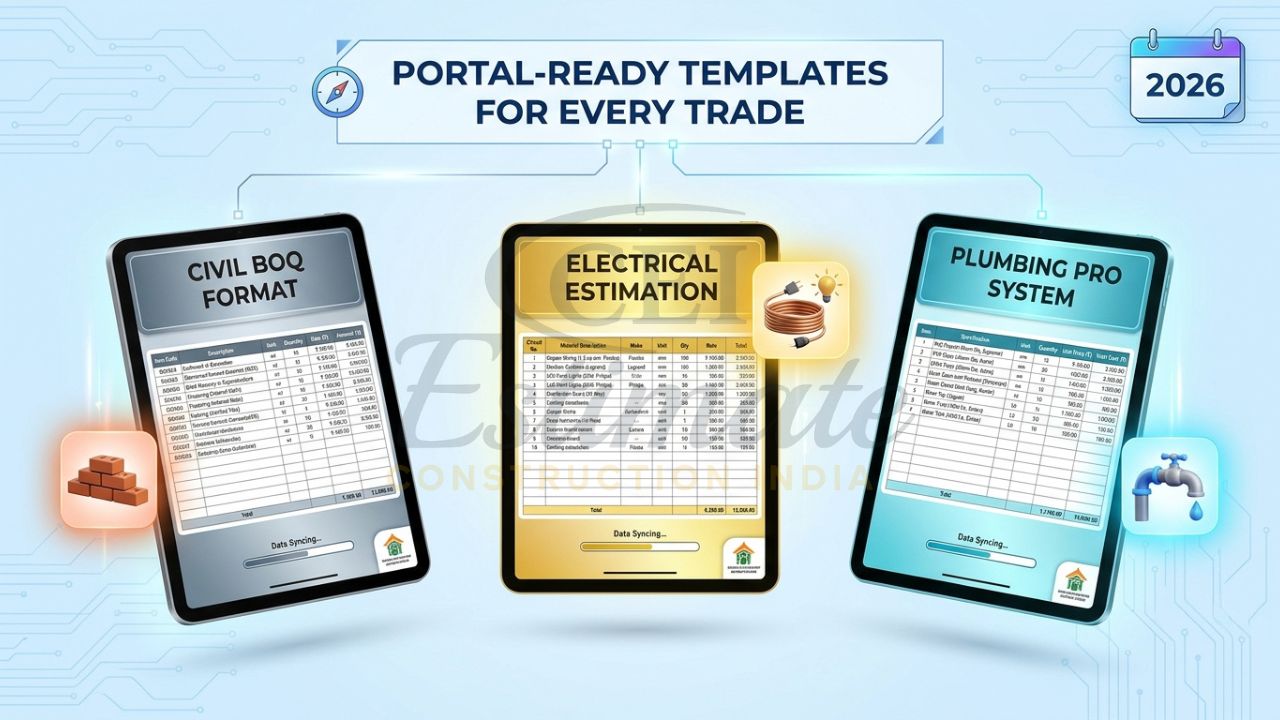
If you want a reliable professional BOQ format in Excel, these are the most useful options for 2026:
| Template | Best for | Price |
| Construction / Civil BOQ Template | Civil contractors, builders, estimators | Only ₹99 |
| Electrical Estimation System Bundle | Electrical contractors, panel and wiring jobs | Only ₹199 |
| Plumbing Pro Template Bundle | Plumbing contractors, sanitary and piping work | Only ₹149 |
These templates are tender-ready, GST compliant, and compatible with Excel and Google Sheets. They are designed to support quick pricing, clear presentation, and automatic calculations, which makes them ideal when you need a dependable bill of quantities Excel template.
👉Don’t Just Create BOQ—Get Full Estimation System at ₹99
For contractors who want to learn how to prepare boq document in excel and still save time, these templates are the fastest route. They are also much easier to standardize across teams and projects.
Major Benefits of Using a Professional BOQ Document in Excel
A good BOQ template can save 20–30 hours per project because it removes the need to format from scratch every time. That alone can make a big difference when you are sending multiple tenders or client quotations.
It also reduces calculation mistakes. Since the formulas are already built in, your final amounts, subtotals, and totals stay accurate. This is one of the biggest reasons contractors prefer an automatic BOQ in Excel over manual spreadsheets.
A clean, professional file also builds client trust. When your quote looks organized and precise, it reflects professionalism and seriousness. That can improve your chances of winning tenders and getting approved faster.
Finally, BOQ templates help you control profit better. You can see your rates, markups, GST, and final value clearly before sending the quotation. If you know how to prepare boq document in excel, you can price work more confidently and protect margins.
Special Limited-Time Offer & Instant Download
Right now, the Construction / Civil BOQ Template is available at only ₹99, which is a strong value for contractors who need a practical and professional solution fast. The Electrical Estimation System Bundle is only ₹199, and the Plumbing Pro Template Bundle is only ₹149.
This limited-time pricing makes it easy to start using a clean, tender-ready professional BOQ format in Excel without spending heavily on software or custom development. If your goal is to prepare quotes faster and submit better-looking documents, this is the smart time to act.
Need Expert Help Preparing BOQ Document?
If you prefer our expert team to prepare a complete professional BOQ document for your project, contact Construction Estimator India today:
Email: info@constructionestimatorindia.com
Phone / WhatsApp: 8630676890
FAQ:
How do I prepare a BOQ document in Excel for a small construction project?
Begin with basic BOQ columns such as item description, unit, quantity, rate, and amount. Add formulas for automatic calculations and maintain proper formatting for a clean and professional presentation.
What is the simplest method to create a BOQ in Excel step by step?
The easiest approach is to use a ready-made BOQ template with pre-built formulas. You only need to enter project quantities, rates, and details, which saves time and reduces manual errors.
Can one BOQ template be used for civil, electrical, and plumbing projects?
Yes, separate sheets or dedicated templates can be used for civil, electrical, and plumbing works since each trade requires different items, specifications, and costing structures.
Why should contractors use a professional BOQ format in Excel?
A professional BOQ format improves document clarity, reduces estimation mistakes, and creates a more reliable and organized quotation for clients and tender submissions.
Is Excel sufficient for preparing BOQs professionally?
Yes, Excel is commonly used for BOQ preparation because it supports formulas, totals, formatting, printing, and project updates, making it ideal for small and medium-sized construction projects.
Which Excel formula is commonly used to calculate BOQ amounts?
The most commonly used formula is Quantity × Rate, such as =D2*E2, which automatically calculates the amount for each BOQ item.
Can overheads, profit margins, and GST be added to a BOQ template?
Yes, professional BOQ templates often include dedicated sections for overhead costs, contractor profit, and GST calculations to create a complete project quotation.
Are these BOQ templates designed for Indian construction tenders?
Yes, the templates are prepared according to Indian construction practices and are suitable for contractors, builders, subcontractors, and tender submissions in India.
How much work time can a professional BOQ template save?
An automated BOQ template can save approximately 20–30 hours per project by reducing repetitive formatting, manual calculations, and data entry work.
What should I do if I still cannot prepare a BOQ document in Excel properly?
You can use professionally designed ready-made templates or take assistance from BOQ preparation experts to create accurate estimates quickly, especially when project deadlines are short.