
If you are preparing a bid, how to make BOQ for tender is one of the most important things you need to get right. A wrong format, calculation error, or unprofessional presentation can lead to bid rejection, underquoting, or lost trust before your tender is even evaluated.

👉 Start with ₹99 BOQ Template or Unlock Complete BOQ System Today
That is why contractors, civil engineers, and subcontractors in India must prepare a BOQ that is accurate, clean, and tender-ready. In 2026, the smartest approach is to understand the manual process first, then move to faster professional templates that reduce errors and save time.
What is BOQ for Tender and Why It Must Be Professional?
A BOQ, or Bill of Quantities, is the detailed list of work items, quantities, units, and rates used in tendering. It helps the client compare bids on the same scope, and it helps the contractor price the work correctly.
For government tenders, especially PWD and CPWD projects, the BOQ format must look structured and professional. For private and corporate tenders, the BOQ often becomes a reflection of your technical capability and seriousness as a bidder. A clear BOQ shows that you understand the project, have estimated properly, and can deliver without confusion.
When people search how to make boq for tender, they usually want one thing: a format that works in real tender submission. That means a BOQ should not only calculate correctly, but also present your pricing in a way that is easy to review, audit, and accept.
Step-by-Step Guide: How to Make BOQ for Tender in Excel
If you want to know how to make BOQ for tender in Excel, start with a simple structured workbook. Excel is still the most common tool used by contractors because it allows formulas, sorting, automatic totals, and quick revisions.
👉 Get Complete Construction BOQ Bundle – Only ₹99 (Worth ₹1,499+)
1. Start with project details
Add the basic tender information at the top of the sheet. Include project name, tender number, client name, location, bid date, and contractor name. This makes the document look official and avoids confusion later.
2. Create the main BOQ columns
A standard tender BOQ format India usually includes these columns:
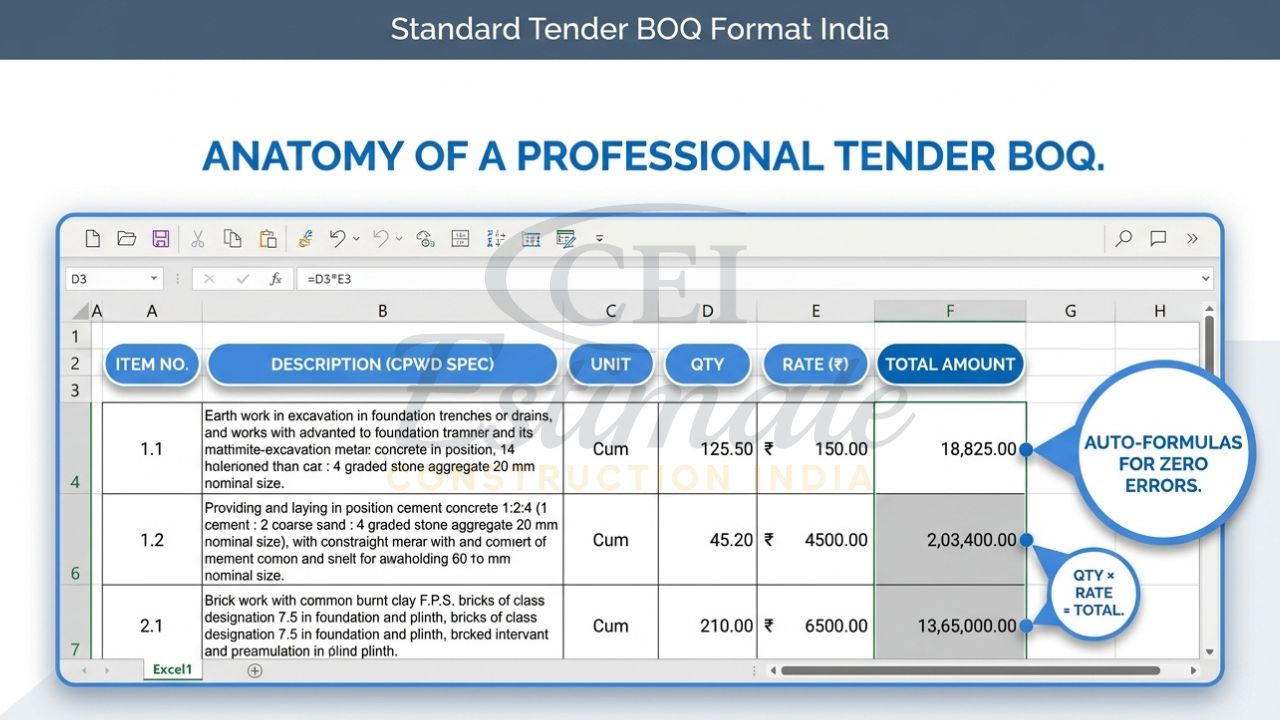
- Item number.
- Description of work.
- Unit.
- Quantity.
- Rate.
- Amount.
For better tender compliance, you may also add remarks, specification reference, or section headings. If the tender is government-related, keep the layout clean and aligned with the issued format.
👉 Build Professional BOQs Faster with Complete System – Only ₹99
3. Write clear item descriptions
Item descriptions must be specific, measurable, and professional. For example, instead of writing “cement work,” write “providing and laying PCC M10 in foundation complete as per specification.” The more precise the description, the less chance of dispute during execution.
A professional BOQ for government tender should avoid vague wording. It should match drawings, specifications, and tender conditions wherever possible.
4. Measure quantities correctly
Quantity takeoff is the core of how to make BOQ for tender. Calculate quantities from drawings, site measurements, or tender documents. For civil work, this may include excavation, concrete, shuttering, brickwork, plaster, flooring, and painting.
For electrical and plumbing tenders, measure wire lengths, conduits, fixtures, piping, fittings, valves, panels, and accessories carefully. Wrong quantities can destroy your margin even if your rate is competitive.
5. Enter rates with market logic
The rate column should reflect your actual cost plus overhead and profit. Do not simply copy an old tender rate without checking current material and labour prices. A good rate must cover direct cost, transport, wastage, site overheads, and margin.
If you are learning how to make BOQ for tender in Excel, this step matters most because the rate decides whether you win the job or lose money after award.
👉 One Template or Full BOQ System? Upgrade Today at ₹99
6. Calculate the amount automatically
Use the formula Quantity × Rate = Amount for each item. Then calculate section totals and grand total using Excel formulas. This avoids manual mistakes and allows fast changes if the client asks for revisions.
7. Add GST and other charges
Some tenders require GST to be shown separately, while others ask for inclusive pricing. Read the tender conditions carefully. If GST is to be added, include a separate row or summary section so the bidder and client can see the tax component clearly.
8. Add overhead and profit
A tender BOQ should not only show cost; it should also help protect your business. Add your overhead and profit margin in a disciplined way, either item-wise or in the summary. This helps you stay competitive without quoting below cost.
9. Include terms and conditions
Every serious BOQ should mention key assumptions and exclusions. Examples include validity period, payment terms, exclusions, material price fluctuation clause, site access assumptions, and scope limits. This protects you from disputes later.
10. Format the sheet professionally
Use consistent fonts, borders, aligned columns, readable headings, and proper number formatting. Highlight formulas carefully and protect cells where needed. A neat sheet can create a strong first impression, especially in corporate and government submissions.
👉 Don’t Just Create BOQ—Get Full Estimation System at ₹99
Smart & Fast Way: Use Professional Automated BOQ Templates for Tender
The manual method works, but it takes time and it is easy to make mistakes. If you are handling multiple bids, repetitive formatting in Excel becomes frustrating and risky. That is why many contractors now prefer ready-made tender BOQ templates.
A professional template is built to reduce errors, save time, and make your document look polished from the start. Instead of building every sheet from scratch, you open the file, enter project details, fill quantities and rates, and let formulas handle the rest.
This is the practical answer to how to make BOQ for tender in less time without sacrificing quality. A good automated workbook can give you auto-calculations, GST-ready structure, tender-style presentation, and a layout that already matches the expectations of evaluators.
You Can Also Use These Templates for Your Own Tender Projects
One of the biggest advantages of a ready BOQ file is simplicity. You do not need advanced estimating software or a full-time QS team to prepare a professional submission.
Just open the template, enter your project details, and update the work items. The formulas, totals, and formatting are already built in, so you can create a complete tender-ready BOQ quickly. For contractors handling urgent bid deadlines, this is often the fastest and safest way to work.
If you are still figuring out how to make BOQ for tender, templates help you learn the structure while producing a better final document. You can use them for government, private, and corporate tender projects with minimal editing.
👉 Start Small or Go Pro – Full BOQ Estimation System at ₹99
Best Professional BOQ Templates & Bundles for Tender (2026)
Below is a practical overview of the most useful options for Indian contractors and estimators.
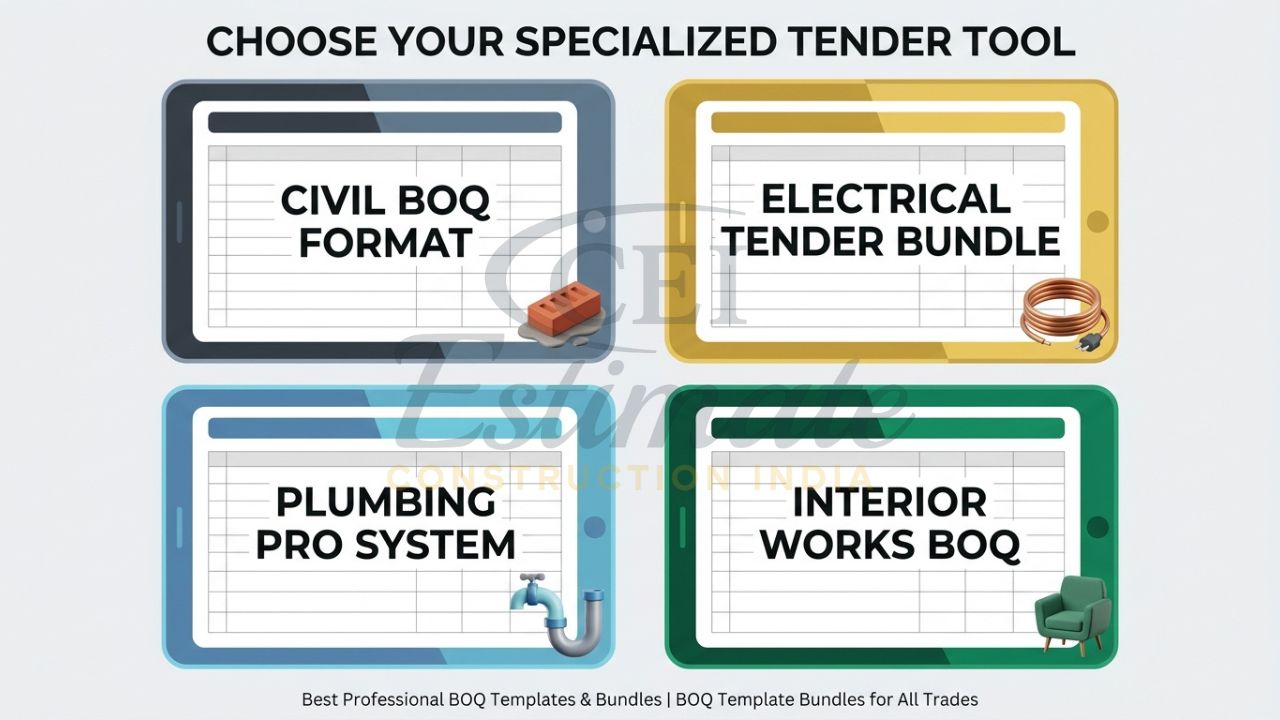
| Template / Bundle | Price | Best For | What It Includes |
| Construction / Civil BOQ Template | ₹99 | Civil contractors, builders, general works | Tender-ready civil BOQ format, auto-calculations, professional layout |
| Complete Construction Estimation Bundle | ₹99 | Full project estimating | BOQ, full estimate, takeoff, checklist |
| Electrical Estimation System Bundle | ₹199 | Electrical contractors | 6 templates including premium electrical BOQ |
| Plumbing Pro Template Bundle | ₹149 | Plumbing contractors | Plumbing BOQ, bid proposal, tender-ready sheets |
| Interior Works BOQ Templates | ₹149 | Interior contractors | Interior finishing BOQ formats, polished presentation |
| Single templates | ₹49–₹99 | Quick need-based use | Individual BOQ or estimate files |
The construction/civil option is ideal for contractors who need a straightforward professional BOQ for government tender or private work. The electrical bundle is better for contractors handling panels, wiring, lighting, and service estimates. The plumbing and interior bundles are especially useful when your scope needs a cleaner bid proposal and more specialized line items.
These are strong choices if your goal is to master how to make BOQ for tender while also speeding up submission work. Each bundle is built to be practical, tender-ready, and easy to edit for real projects.
Major Benefits of Using Professional BOQ for Tender
A well-prepared BOQ can directly improve your chances of getting shortlisted and winning the work. When your document is accurate and professional, evaluators trust your pricing more easily.
Here are the main benefits:
- Higher chances of bid qualification and winning.
- Error-free calculations and professional presentation.
- Proper profit margin built in.
- Saves 20–30 hours per tender.
- Matches PWD, CPWD, and corporate standards.
This is why serious contractors do not treat how to make BOQ for tender as just an Excel task. They treat it as a bidding strategy. A polished BOQ reduces confusion, supports your rate justification, and helps your proposal stand out among competing bidders.
Special Limited-Time Pricing & Instant Download
These templates are priced to give contractors maximum value at minimum cost.
👉 Get Complete Construction BOQ Bundle – Only ₹99 (Worth ₹1,499+)
👉 Don’t Just Estimate—Get Full Electrical Estimation System for ₹199
👉 Start with Single Template or Get Full Plumbing Estimation Bundle at ₹149
👉 Start with Basic BOQ or Unlock Full Interior Estimation System at ₹99
All templates are designed for instant download, Excel and Google Sheets compatibility, auto-calculations, GST-ready formatting, and tender-ready professional presentation. If you need to submit bids quickly, this is a smart way to move faster without compromising quality.
For anyone searching how to make BOQ for tender, these low-cost bundles remove the biggest problem: time. Instead of building a sheet from zero, you start with a proven format and finish your tender faster.
Need Expert Help for Tender BOQ?
If you want our team to prepare a professional BOQ for your tender, contact us:
Email: info@constructionestimatorindia.com
Phone / WhatsApp: 8630676890
This is especially useful when you have a complex scope, tight deadline, or a high-value bid where accuracy matters more than speed. For many contractors, getting expert help is the fastest route to a better submission.