
Hey there, fellow contractor! Ever spent hours hunched over Excel trying to create a BOQ, only to end up with errors, messy formatting, and a document that screams “amateur” to clients? You’re not alone. Manual BOQ making eats up your time, leads to costly mistakes like wrong quantities or forgotten GST, and can cost you big projects because your bid looks unprofessional.
👉 Get Complete BOQ System for Just ₹99 (Worth ₹1,499+)
That’s where learning how to make BOQ in Excel changes everything. In this guide, I’ll show you both the manual way – a detailed step-by-step on how to make BOQ in Excel from scratch – and the smart, automated way using professional BOQ format in Excel templates. Whether you’re a site engineer in Delhi, a plumber in Mumbai, or an interior designer in Bangalore, you’ll walk away ready to create construction BOQ in Excel that wins tenders. And stick around – our BOQ template Excel download bundle is just ₹99 today (worth ₹1,499+). Let’s dive in and fix your BOQ headaches for good!
What is BOQ and Why Do You Need a Professional BOQ Format in Excel?
A Bill of Quantities (BOQ) is your project’s detailed price list. It breaks down every item – from bricks and cement to wiring and fittings – with quantities, rates, and totals. In India, it’s essential for tenders, contracts, and client quotes under standards like CPWD or IS 1200.
Why bother with a professional BOQ format in Excel? Simple: Clients and principals trust polished, error-free BOQs. A sloppy one? It screams inexperience, kills your bid chances, and leaves money on the table. Excel makes it flexible – formulas for auto-calcs, easy edits for 2026 market rates (like cement at ₹350-400/bag post-inflation), and sharing via WhatsApp or email.
For contractors and sub-contractors, a good BOQ format for contractors India includes GST (18% for most works), wastage (5-10%), and profit margins (15-25%). Manual? Prone to errors. Automated? Instant pro results. Mastering how to make BOQ in Excel isn’t optional – it’s your edge in a competitive market.
Method 1: How to Make BOQ in Excel from Scratch (Step-by-Step Manual Guide)
Ready to roll up your sleeves? Here’s how to make BOQ in Excel step by step manually. This bill of quantities Excel tutorial works for residential, interiors, or plumbing jobs. We’ll use a sample 1,000 sq ft residential flat BOQ.
👉 Get All BOQ Tools in One Package – Just ₹99
Step 1: Set Up Your Workbook
Open Excel (or Google Sheets). Create a new file named “Project_BOQ.xlsx”.
- Sheet 1: “BOQ_Main”
- Sheet 2: “Rate_Analysis”
- Sheet 3: “Summary”
Format professionally: Bold headers, alternate row colors (Format > Conditional Formatting), add your logo in A1.
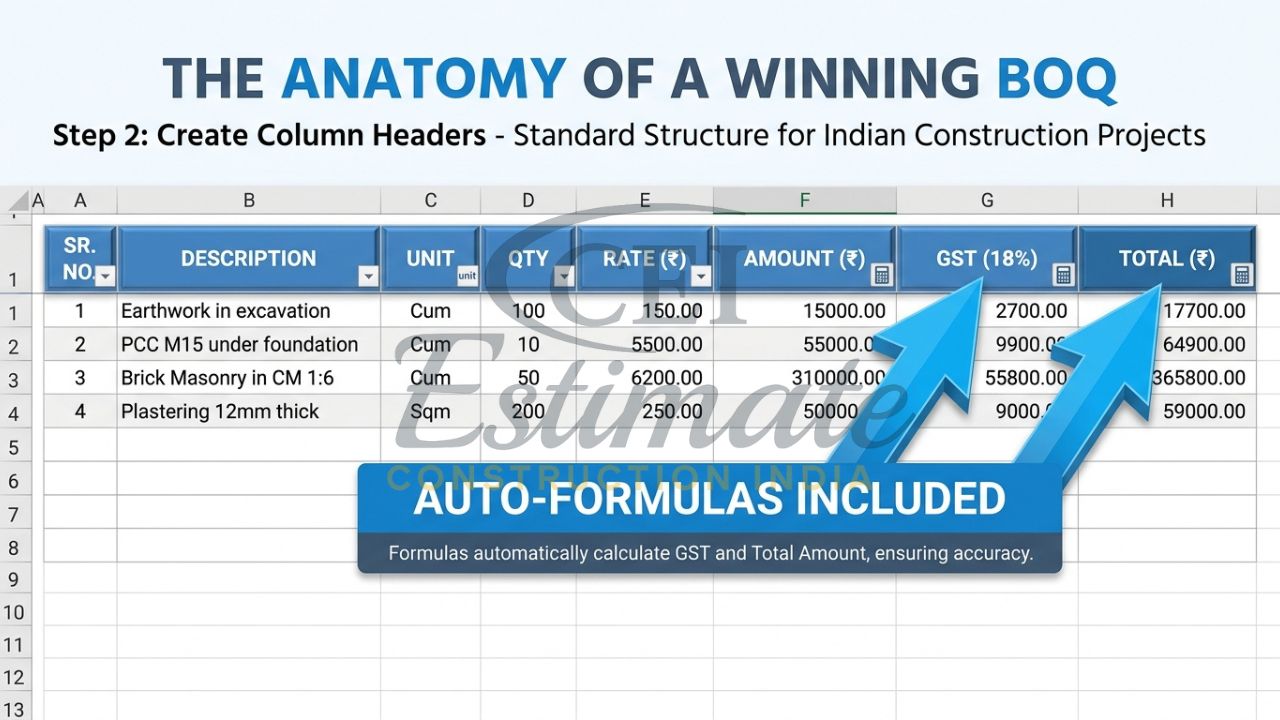
Step 2: Create Column Headers
In “BOQ_Main”, use these professional BOQ format in Excel headers starting from Row 1:
👉 Don’t Settle for One Sheet – Get Full BOQ System at ₹99
| Sr. No. | Item Description | Unit | Quantity | Rate (₹) | Amount (₹) | GST (18%) | Total (₹) |
| 1 |
Example: Row 2 – “1 | Excavation | Cum | 50 | 250 | =D2E2 | =F20.18 | =F2+G2″
Step 3: Enter Data with Real Examples
Fill for a residential project:
- Item 1: Brickwork in foundation (1:6 cement mortar), Unit: Cum, Qty: 20, Rate: ₹3,500 (2026 avg).
- Item 2: PCC 1:4:8 (interior slab), Unit: Cum, Qty: 15, Rate: ₹4,200.
- Plumbing: PVC pipe 2″ dia, Unit: Meter, Qty: 100, Rate: ₹150.
Pro tip for construction BOQ in Excel: Use VLOOKUP from “Rate_Analysis” sheet for rates. In E2: =VLOOKUP(B2,Rate_Analysis!A:B,2,FALSE)
Step 4: Add Formulas for Automation Basics
- Amount (F): =D2*E2
- GST (G): =F2*0.18
- Total (H): =F2+G2
Copy down (drag fill handle). At bottom (Row 50): Grand Total =SUM(H2:H49)
👉 Upgrade Your Estimation Game with Full BOQ Bundle – Only ₹99
Step 5: Rate Analysis Sheet
In “Rate_Analysis”:
| Item | Material | Qty | Rate | Total |
| PCC | Cement | 4 Bags | 380 | =C3D3 |
Link to main BOQ: =SUM(Rate_Analysis!E:E) for derived rates.
Step 6: Summary Dashboard
- Total Cost: =SUM(BOQ_Main!H:H)
- Profit (20%): =Summary!A1*0.20
- Final Quote: =A2+A3
Step 7: Formatting & Polish
- Currency format: ₹ #,##0.00
- Borders, freeze panes (View > Freeze Top Row).
- Add notes: Wastage 5% – multiply qty by 1.05.
- Protect sheet: Review > Protect Sheet.
👉 Get Complete BOQ System for Just ₹99 (Worth ₹1,499+)
Example plumbing BOQ snippet:
| Sr. No. | Item | Unit | Qty | Rate | Amount |
| 1 | CPVC Pipe 1″ | Rmt | 50 | 120 | 6,000 |
This manual how to make BOQ in Excel takes 4-6 hours first time. Errors? Double-check SUMs. For electrical: Add items like “MCB 16A” at ₹250/unit.
Test it – total for our sample: ₹15,00,000 + GST = ₹17,70,000. Solid, but time-intensive.
Method 2: Smart & Fast Way – Use Professional Automated BOQ Template
Manual how to make BOQ in Excel works, but it’s slow, error-prone (one wrong formula = bid disaster), and looks basic. Clients spot amateur formatting instantly.
Enter automated BOQ template Excel download. Pre-built with formulas, dropdowns, 2026 rates (steel ₹65/kg, sand ₹1,200/ton), and dashboards. No more SUM mistakes – just input data, hit enter, done!
Limitations of manual: Recalculating for changes? Hours. Forgot profit? Lost margins. Automated automatic BOQ in Excel handles it all.
You Can Also Use These Templates for Your Own Projects – Just Fill Your Project Details
Imagine this: Open the professional BOQ format in Excel, punch in “1,200 sq ft interior fitout”, list 20 items like false ceiling (₹180/sq ft) or plumbing fixtures, add quantities – boom! Construction BOQ in Excel generates with totals, 18% GST, 7% wastage, 22% profit, and client-ready quote.
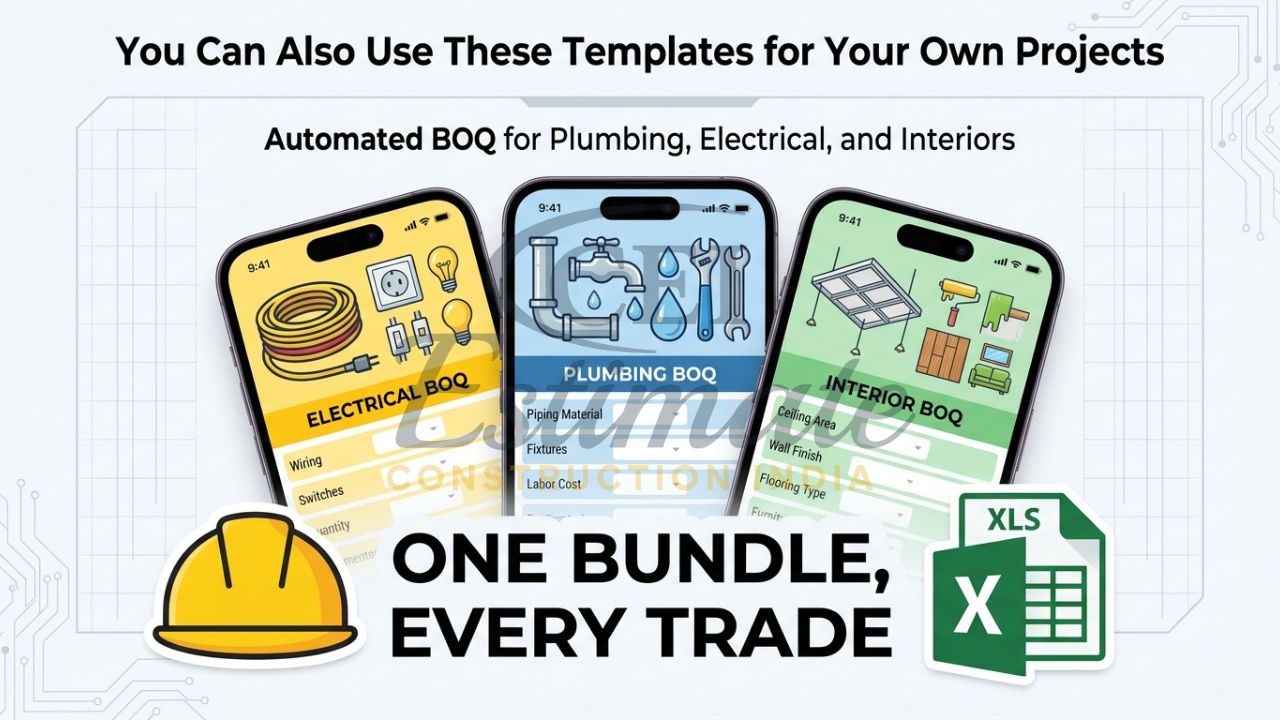
 Get Complete Electrical Estimation System at Just ₹199 (Start with ₹49 Template)
Get Complete Plumbing Estimation Bundle for Just ₹149 (Multiple Templates Included)
Get All Interior Estimation Tools in One Package – Only ₹99
For sub-contractors: Electrical BOQ auto-calcs wiring lengths, MCBs, DBs. Interior pros: Dropdowns for laminates, paints (Asian Paints ₹25/sq ft). Civil contractors: Auto rate analysis for RCC (M20 ₹5,800/cum).
How to make BOQ in Excel the smart way? Download our bundle (₹99 today!), input details – get pro BOQ instantly. No Excel wizardry needed. Perfect for BOQ format for contractors India.
Complete Professional BOQ System – What’s Included in the ₹99 Bundle
Grab our Full Professional BOQ Format System Bundle – only ₹99 today (worth ₹1,499+)!
It packs 6 automated Excel/Google Sheets templates:
- Professional BOQ Format Template: Core sheet with items, qty, rates, GST, totals. Dropdowns for 500+ Indian items.
- Material Takeoff Sheet: Auto-calcs from drawings (e.g., 1 BHK: 200m wiring).
- Rate Analysis Template with Wastage: Builds rates like ₹4,500/cum for M20 concrete (incl. 5% wastage).
- Profit Calculator & Bid Strategy: Set 15-30% margin, compare bids.
- Project Checklist: Tenders, approvals, milestones.
- Pro Dashboard: Pie charts, totals, export to PDF.
Fully automatic automatic BOQ in Excel – enter project details, get clean BOQ with 2026 rates. Works for civil (bridges), interiors (offices), plumbing/electrical (₹2-5 lakh jobs).
Major Benefits of Using a Professional BOQ Format in Excel
Switch to our templates and transform your bids:
- Save 20–30 hours per project: From days to minutes on how to make BOQ in Excel.
- Error-free calculations: Formulas handle GST, wastage, escalations.
- Professional look that builds client trust: Formatted like top consultants – wins 30% more tenders.
- Higher chances of winning bids and tenders: Accurate, competitive quotes.
- Better profit control: Built-in margins ensure 20%+ returns.
Real example: A Delhi builder used it for a 2BHK – quoted ₹28 lakhs, won vs. ₹32 lakhs rivals. BOQ template Excel download = your secret weapon.
Special Pricing & Instant Download
Limited-time deal: Full Professional BOQ Format Bundle – Only ₹99 Today! (Worth ₹1,499+)
- Instant download after purchase.
- Lifetime access, Excel/Google Sheets compatible.
- Latest 2026 Indian rates (post-budget hikes).
- No subscriptions – own it forever.
Don’t miss this urgency – price jumps to ₹499 tomorrow. Click here to download now and master how to make BOQ in Excel instantly!
Need a Ready Professional BOQ for Your Project?
If you don’t want to make BOQ yourself, our expert team can prepare a professional BOQ for your project.
Contact Construction Estimator India today:
Email: info@constructionestimatorindia.com
Phone / WhatsApp: 8630676890
Grab the ₹99 bundle now – your next project win starts here!
FAQ
1. What is BOQ in construction?
BOQ (Bill of Quantities) lists project items with quantities, rates, and totals for accurate bidding.
2. How to make BOQ in Excel for beginners?
Follow our step-by-step: Set headers, add formulas like =Qty*Rate, SUM totals. Or use our automated template.
3. Is there a free BOQ template Excel download?
Basic ones exist, but our pro bundle (₹99) includes automation, rates, and extras – far superior.
4. What does a professional BOQ format in Excel include?
Items, units, qty, rates, amounts, GST, profit, dashboard – all auto-updating.
5. Can I use this for plumbing or electrical contracts?
Yes! Templates cover 500+ items with 2026 rates for pipes, wires, fittings.
6. How accurate are the rates in the BOQ template?
Updated to 2026 Delhi/Mumbai averages; customize easily for local markets.
7. Does it calculate GST and wastage?
Absolutely – 18% GST auto-applied, 5-10% wastage built-in.
8. Works on mobile?
Yes, Google Sheets version perfect for site engineers on WhatsApp.
9. How to make automatic BOQ in Excel with the bundle?
Open, select project type, fill qty/rates – everything updates instantly.
10. What’s the refund policy?
100% money-back if not thrilled – instant download, zero risk.